Top 5 Best Ryzen CPU For Blender: Must-See Picks
best ryzen cpu for blender matters when scene complexity, render times, and multitasking start pushing a system to its limits. In Blender, core count, boost clocks, cache design, and thermal behavior can all shape how smoothly modeling, sculpting, and animation workflows feel. The best ryzen processor for Blender often needs to balance raw compute power with efficient power draw, stable boost performance, and reliable cooling support.
That makes choosing the right AMD Ryzen CPU for Blender more than a spec-sheet exercise, especially when projects involve Cycles rendering, physics simulations, and heavy viewport work. Small differences in architecture, memory support, and threading efficiency can have a major effect on creative output, and the details hidden behind the numbers are where the real performance story begins.
Detailed Reviews of the Best Ryzen Cpu for Blender
1. AMD Ryzen™ 5 9600X 6-Core, 12-Thread Unlocked Desktop Processor
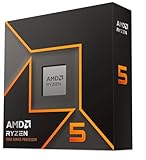
- Pure gaming performance with smooth 100+ FPS in the world's most popular games
- 6 Cores and 12 processing threads, based on AMD "Zen 5" architecture
- 5.4 GHz Max Boost, unlocked for overclocking, 38 MB cache, DDR5-5600 support

Best for: High-core AM4 creator value.
Sixteen cores and 32 processing threads give the Ryzen 9 5900XT the parallel muscle Blender likes for heavy scene work, simulation passes, and background multitasking. Its Zen 3 architecture and unlocked design make it a strong fit for artists who want a mature AM4 platform without moving to a new board. A 72 MB cache helps keep complex workloads moving.
The 4.8 GHz max boost gives this chip extra headroom for tasks that still lean on fast single-thread speed, such as viewport interaction and interface responsiveness. DDR4-3200 support keeps memory costs and compatibility straightforward for existing AM4 systems, especially if you are upgrading from an older Ryzen build. PCIe 4.0 support is another practical advantage for users with current-generation storage and graphics cards. With the Socket AM4 platform, this processor slots into a wide installed base, which makes it a practical Blender upgrade when you want more rendering throughput without replacing every part.
Pros
- 16 cores and 32 threads for faster multi-frame Blender rendering
- 72 MB cache helps larger scenes stay responsive
- DDR4-3200 support works with many existing AM4 memory kits
- Unlocked design allows tuning beyond stock settings
Cons
- No cooler is included, so you need a separate AM4-compatible cooler before installation.
For Blender users staying on AM4, the 5900XT offers a very strong mix of core count, cache, and compatibility. It makes the most sense for creators who value render throughput and a simpler upgrade path over a full platform change.
| Specification | Details |
|---|---|
| CPU Model | Ryzen 9 |
| CPU Cores | 16 |
| Threads | 32 |
| Architecture | AMD Zen 3 |
| Max Boost | 4.8 GHz |
| Cache | 72 MB |
| Memory Support | DDR4-3200 |
| CPU Socket | Socket AM4 |
| PCIe Support | PCIe 4.0 |
| Unlocked | Yes |
I would point Blender users to this chip when they already have an AM4 system and want more render muscle without changing the rest of the build. The 16-core layout is the real attraction, and the 72 MB cache adds useful breathing room in bigger projects. If you care more about practical upgrade value than moving to the newest socket, this is an easy one to like.
2. AMD Ryzen™ 9 5900XT 16-Core, 32-Thread Unlocked Desktop Processor

- Powerful Content Creation and Game Performance
- 16 Cores and 32 processing threads, based on AMD "Zen 3" architecture
- 4.8 GHz Max Boost, unlocked for overclocking, 72 MB cache, DDR4-3200 support
Best for: AM5 balanced render and speed.
Twelve cores, 24 threads, and a 76 MB cache make the Ryzen 9 9900X a strong fit for Blender users who need fast rendering plus snappy project handling. Its Zen 5 architecture brings it onto the Socket AM5 platform, giving modern builders a current base for storage, graphics, and memory upgrades. That mix works well when one PC needs to handle creation and everyday use.
The 5.6 GHz max boost matters for Blender tasks that still benefit from higher per-core speed, including UI responsiveness, add-on activity, and lighter scene work. DDR5-5600 support gives the platform higher memory bandwidth, which is useful when large assets and textures are moving through the system. PCIe 5.0 support on select motherboards is helpful for builders planning fast NVMe storage or a future graphics upgrade. With 12 processing cores, it sits in a sweet spot for creators who want serious multi-threaded output without jumping all the way to the largest Ryzen parts.
Pros
- 12 cores and 24 threads balance rendering speed and everyday responsiveness
- 76 MB cache helps handle larger Blender projects smoothly
- DDR5-5600 support pairs with modern AM5 memory performance
- PCIe 5.0 support on select motherboards leaves room for fast expansion
Cons
- No cooler is included, so you must budget for an AM5-compatible cooling solution.
For Blender work, the 9900X is a well-rounded choice when you want current-platform performance with plenty of headroom. It fits creators who value strong render times, fast storage support, and a modern upgrade path.
| Specification | Details |
|---|---|
| CPU Model | Ryzen 9 |
| CPU Cores | 12 |
| Threads | 24 |
| Architecture | AMD Zen 5 |
| Max Boost | 5.6 GHz |
| Cache | 76 MB |
| Memory Support | DDR5-5600 |
| CPU Socket | Socket AM5 |
| PCIe Support | PCIe 5.0 on select motherboards |
| Unlocked | Yes |
My take is that this is one of the easiest Ryzen picks to recommend for Blender if you want a modern AM5 build without overcommitting to a top-tier chip. The 12-core count is enough for serious creative work, and the 76 MB cache is a nice bonus for bigger scenes. It feels like the sensible high-performance middle ground for mixed creator use.
3. AMD Ryzen™ 9 9900X 12-Core, 24-Thread Unlocked Desktop Processor

- The world's best gaming desktop processor that can deliver ultra-fast 100+ FPS performance in the world's most popular games
- 12 Cores and 24 processing threads, based on AMD "Zen 5" architecture
- 5.6 GHz Max Boost, unlocked for overclocking, 76 MB cache, DDR5-5600 support
Best for: Budget-friendly AM4 Blender upgrade.
Eight cores and 16 threads give the Ryzen 7 5700X enough parallel capacity for Blender users who want a meaningful jump from older quad-core or six-core chips. Its Zen 3 design fits the Socket AM4 ecosystem, so it can slot into many existing systems without a full platform rebuild. A 36 MB cache keeps it practical for creators who need more than entry-level speed.
The 4.6 GHz max boost helps with responsive scene navigation and other tasks that benefit from stronger single-core performance. DDR4-3200 support is especially useful for cost-conscious upgrades because it works with common memory kits already in circulation. PCIe 4.0 support on X570 and B550 motherboards adds modern storage and graphics compatibility for a well-rounded Blender workstation. Because a discrete graphics card is required, this CPU makes the most sense in a dedicated creator build where the GPU handles viewport acceleration and the processor focuses on simulation and CPU rendering.
Pros
- 8 cores and 16 threads improve CPU rendering over entry-level Ryzen parts
- 36 MB cache supports smoother handling of working data
- DDR4-3200 support keeps an AM4 upgrade straightforward
- PCIe 4.0 support on X570 and B550 boards suits modern storage and GPUs
Cons
- A discrete graphics card is required, so it cannot be used as a standalone display solution.
The 5700X is the practical Blender choice for AM4 users who want a clear performance step up without a major parts replacement. It is especially appealing for builders who already own a compatible motherboard and GPU.
| Specification | Details |
|---|---|
| CPU Model | Ryzen 7 |
| CPU Cores | 8 |
| Threads | 16 |
| Architecture | AMD Zen 3 |
| Max Boost | 4.6 GHz |
| Cache | 36 MB |
| Memory Support | DDR4-3200 |
| CPU Socket | Socket AM4 |
| PCIe Support | PCIe 4.0 on X570 and B550 motherboards |
| Discrete Graphics Required | Yes |
I see this as the value pick for Blender users who already live on AM4 and want a better CPU without overcomplicating the build. The eight cores are enough for a lot of freelance and hobbyist work, and the DDR4 support makes the upgrade painless. It is a smart fit when your budget is better spent elsewhere in the system.
4. AMD Ryzen 7 5700X 8-Core, 16-Thread Unlocked Desktop Processor

- Can deliver ultra-fast 100+ FPS performance in the world's most popular games, discrete graphics card required
- 8 Cores and 16 processing threads, based on AMD "Zen 3" architecture
- 4.6 GHz Max Boost, unlocked for overclocking, 36 MB cache, DDR4-3200 support
Best for: Fast gaming and creation hybrid.
Eight cores, 16 threads, and a 5.4 GHz max boost give the Ryzen 7 7700X a fast response profile that helps both Blender work and everyday desktop use. Its Zen 4 architecture on Socket AM5 puts it on the newer platform with DDR5-5200 memory support. A 80 MB cache gives it a strong data buffer for demanding projects and mixed workloads.
The 80 MB cache is the standout number here because it helps keep more working data close to the CPU during heavier scenes and multitasking. DDR5-5200 support gives the platform the bandwidth advantage that AM5 builders expect, which is useful when large textures or geometry are involved. PCIe 5.0 support on select 600 Series motherboards adds flexibility for fast NVMe drives and future expansion. The 4.5 GHz base clock, paired with the unlocked design, makes this a lively option for users who want a responsive workstation that also spends time gaming or streaming between Blender sessions.
Pros
- 8 cores and 16 threads handle Blender work while staying responsive
- 5.4 GHz max boost helps single-threaded tasks feel quick
- 80 MB cache supports heavier data sets and multitasking
- DDR5-5200 and PCIe 5.0 support suit a modern AM5 build
Cons
- No cooler is included, so you need a separate cooling solution for the AM5 socket.
For Blender users who also care about gaming, the 7700X brings a very strong mix of speed and platform freshness. It is a good fit when you want one PC to feel quick in creative apps and in daily use.
| Specification | Details |
|---|---|
| CPU Model | Ryzen 7 |
| CPU Cores | 8 |
| Threads | 16 |
| Architecture | AMD Zen 4 |
| Max Boost | 5.4 GHz |
| Base Clock | 4.5 GHz |
| Cache | 80 MB |
| Memory Support | DDR5-5200 |
| CPU Socket | Socket AM5 |
| PCIe Support | PCIe 5.0 on select 600 Series motherboards |
I like this chip for Blender creators who want a fast all-around system rather than a pure render box. The 80 MB cache and high boost clock make it feel nimble, and AM5 gives you a current platform to work from. If your machine also pulls double duty for gaming, this is one of the more balanced choices in the group.
5. AMD Ryzen 7 7700X 8-Core, 16-Thread Unlocked Desktop Processor
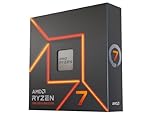
- This dominant gaming processor can deliver fast 100+ FPS performance in the world's most popular games
- 8 Cores and 16 processing threads, based on AMD "Zen 4" architecture
- 5.4 GHz Max Boost, unlocked for overclocking, 80 MB cache, DDR5-5200 support
Best for: AM5 creator core count sweet spot.
Six cores and 12 threads on Zen 5 give the Ryzen 5 9600X a modern AM5 foundation for lighter Blender scenes, modeling, and general creator work. Its 5.4 GHz max boost keeps the chip quick in tasks that depend on strong single-core speed, while the 38 MB cache supports smooth day-to-day responsiveness. DDR5-5600 support adds the bandwidth of the newest Ryzen platform.
The Socket AM5 platform is the key reason to consider this processor if you want a current-build path without stepping up to a higher-core chip. PCIe 5.0 support on select motherboards lets a small workstation pair with fast storage and a newer GPU ecosystem. Its unlocked design gives experienced users some tuning room, and the 3.9 GHz CPU speed provides a solid baseline for everyday work before boost takes over. For Blender, this makes the most sense in lighter to mid-range projects or as the core of a compact creative PC where efficiency and modern compatibility matter more than maximum thread count.
Pros
- 6 cores and 12 threads suit lighter Blender projects and general use
- 5.4 GHz max boost helps with responsive single-thread tasks
- 38 MB cache supports everyday workflow smoothness
- DDR5-5600 and PCIe 5.0 support bring modern AM5 compatibility
Cons
- The six-core layout is less suited to heavy CPU rendering than higher-core Ryzen 9 options.
The 9600X is a sensible AM5 entry point for Blender users who value speed and platform longevity over maximum core count. It works best for smaller scenes, mixed use, and builders who want a modern foundation without excess heat or complexity.
| Specification | Details |
|---|---|
| CPU Model | Ryzen 5 |
| CPU Cores | 6 |
| Threads | 12 |
| Architecture | AMD Zen 5 |
| Max Boost | 5.4 GHz |
| Cache | 38 MB |
| Memory Support | DDR5-5600 |
| CPU Socket | Socket AM5 |
| PCIe Support | PCIe 5.0 on select motherboards |
| Unlocked | Yes |
I would choose this for Blender only if the projects are moderate and the rest of the system is meant to stay compact or efficient. It has the modern AM5 feature set, but the six-core design is the real limiter for heavy rendering. For students, hobbyists, or mixed-use builders, it still makes a lot of sense.
Quick Comparison Table of Ryzen CPUs for Blender
| Product Name | Cores/Threads | Max Boost | Socket | Best For | Check Price |
|---|---|---|---|---|---|
| AMD Ryzen™ 5 9600X 6-Core, 12-Thread | 6 / 12 | 5.4 GHz | AM5 | Budget Blender use | Check Price |
| AMD Ryzen™ 9 5900XT 16-Core, 32-Thread | 16 / 32 | 4.8 GHz | AM4 | Heavy rendering | Check Price |
| AMD Ryzen™ 9 9900X 12-Core, 24-Thread | 12 / 24 | 5.6 GHz | AM5 | Fast Blender workloads | Check Price |
| AMD Ryzen 7 5700X 8-Core, 16-Thread | 8 / 16 | 4.6 GHz | AM4 | Value Blender builds | Check Price |
| AMD Ryzen 7 7700X 8-Core, 16-Thread | 8 / 16 | 5.4 GHz | AM5 | Balanced Blender editing | Check Price |
How to Choose the Best Ryzen CPU for Blender
Core count and thread scaling
Higher core counts can dramatically shorten Blender workloads because the software scales especially well across many CPU threads during rendering. Cycles rendering, in particular, can spread ray tracing and sampling tasks across available cores, so a Ryzen chip with more threads often finishes frames faster and keeps long animation jobs moving efficiently. That matters most for creators working with dense scenes, heavy lighting, large textures, or complex materials, where render times can otherwise become the biggest bottleneck.
Extra threads also help beyond final renders. Physics simulations, smoke, particles, cloth, and other calculation-heavy tasks benefit from parallel processing, making preview updates and cache generation smoother on a high-thread-count processor. For single still images or light edits, the jump from a mid-core CPU to a larger one may feel modest, but the workflow boost becomes obvious in animation production, scene baking, and repeated test renders.
A balanced Ryzen model with strong multi-core performance gives creators more responsive timelines, fewer waits between iterations, and better throughput when the project demands sustained CPU power.
In practical terms, more cores matter most for users who render often, work on longer sequences, or run simulations alongside modeling and shading. If Blender is part of a production pipeline rather than occasional hobby use, thread scaling becomes one of the most valuable specifications to prioritize.
Clock speed and singlecore responsiveness
High boost frequencies and snappy single-threaded performance can make a Blender workstation feel instantly more responsive. They directly affect how fast the interface reacts, how smoothly the viewport pans and orbits, and how quickly tools register during hands-on scene work.
This matters because many everyday tasks in Blender still rely heavily on one core at a time: mesh editing, sculpting, modifier adjustments, timeline scrubbing, and general UI navigation all benefit from strong per-core speed. A CPU with aggressive boost clocks can reduce lag in dense scenes, helping camera movement stay fluid and making selections, transforms, and menu actions feel more immediate. That responsiveness is especially valuable during blocking, modeling, and material setup, where delays interrupt workflow and slow down iteration.
The ideal Ryzen processor balances frequency with core count, since Blender also rewards multithreaded power for rendering, baking, and simulation. A higher-clocked chip with solid single-core output is excellent for interactive work, while a model with more cores handles heavier final renders better. For mixed workloads, look for strong boost behavior, efficient cache, and sustained all-core performance so the system stays fast in the viewport without sacrificing throughput during long production jobs.
Thermals, power, and cooling headroom
Thermal capacity is a performance limit, not just a comfort feature. A Ryzen chip with high core counts and aggressive boost clocks can deliver excellent Blender throughput, but only if your cooler and case airflow can keep temperatures under control. If the CPU runs hot, it will reduce boost frequency, raise fan noise, and stretch out long render jobs.
That makes power draw and cooling headroom critical for real-world use. A compact air cooler may be fine for moderate workloads, while sustained multi-hour rendering often benefits from a stronger tower cooler or liquid cooling setup with healthy airflow through the chassis. Case ventilation matters just as much: front intake, rear exhaust, and unobstructed paths for hot air all help the processor maintain stable clocks under load.
Without that margin, even a powerful chip can behave like a slower one once temperatures climb.
Efficient sustained performance is the goal. For Blender users, the smartest choice is a CPU that balances high all-core output with reasonable wattage, so it stays efficient during repeated renders, simulations, and viewport-heavy sessions. A well-matched system avoids thermal throttling, keeps boost behavior consistent, and delivers faster completion times without demanding an oversized cooling setup.
Platform compatibility and upgrade path
Platform fit is the foundation of a smart CPU upgrade, because even a powerful Ryzen chip is only useful if it matches the motherboard and long-term build plan.
Socket support determines whether the processor will physically and electrically work with your system, while chipset compatibility affects features such as PCIe lanes, power delivery, and boost behavior. A board with the right socket but a weak chipset can limit performance in Blender workloads that rely on sustained rendering, viewport responsiveness, and multitasking. Memory support matters just as much: Blender scenes with high-resolution textures, geometry-heavy models, and simulation data benefit from fast DDR memory, stable capacities, and dual-channel configuration.
Faster RAM can help keep timelines responsive and reduce bottlenecks during complex projects, especially on systems handling multiple creative apps at once.
BIOS readiness is another practical detail that protects your investment. Some motherboards need a firmware update to recognize newer Ryzen processors, and checking that in advance prevents installation headaches. A compatible platform with room for future CPU upgrades lets creators start with a sensible chip now and move up later without replacing the entire board, making the workstation more flexible, cost-effective, and ready for larger Blender scenes as demands grow.
Value for blender workflows
Render performance per dollar is the clearest measure of real Blender value, because CPU time directly affects how quickly projects move from test scenes to final output. A Ryzen processor with strong multi-core throughput can cut waiting time on Cycles renders, viewport-heavy previews, and animation exports without forcing you to pay for extras that do not improve production speed. Buyers working on smaller product mockups, short motion clips, or moderately detailed architectural scenes often get more practical benefit from a faster core count and higher sustained boost clocks than from premium add-ons like flashy aesthetics or advanced connectivity.
That said, a stronger CPU becomes the smarter investment once your workflow includes complex geometry, dense textures, volumetric lighting, or long animation timelines. In these cases, extra cores and threads help reduce bottlenecks, especially during final rendering and simulation-heavy tasks. For lighter scenes, a midrange chip may offer the best balance of cost and speed, while heavy scenes justify stepping up to a more capable model.
Matching the processor to your typical scene complexity ensures you are paying for actual Blender gains, not unused overhead.
In practical terms: prioritize raw compute power, efficient cooling compatibility, and sustained all-core performance over cosmetic or niche features, then scale up only as your scene sizes and render demands grow.
Quick Best Ryzen Cpu For Blender Buying Checklist
- Check core and thread counts. Blender rendering and simulation workloads benefit from more parallel processing power.
- Compare boost clocks. Strong single-core speed helps with viewport responsiveness, navigation, and lighter scene tasks.
- Verify cooling requirements. A capable air or liquid cooler helps maintain sustained performance during long renders.
- Confirm motherboard compatibility. Make sure the CPU matches your socket, chipset, and BIOS support.
- Look at memory support. Fast, stable RAM can improve workflow smoothness when handling large Blender projects.
- Balance performance and value. Choose the Ryzen CPU that best fits your scene complexity and rendering demands.
How Ryzen Architecture Speeds Up Blender Renders
Blender benefits from Ryzen CPUs because many of its core workloads scale well across multiple threads. During Cycles rendering, the processor divides the scene into smaller tasks and processes them in parallel, which is why high-core-count Ryzen chips often finish frames much faster than quad-core parts. Ryzen’s strong all-core performance also helps when rendering while other apps are open, since the system stays responsive under load.
For Eevee, the CPU is less critical during final image generation, but it still matters for scene preparation, physics calculations, and general timeline work. In practice, the best Ryzen CPU for Blender is one that balances thread count, sustained boost behavior, and efficient cooling support.
Ryzen Core Counts and Blender Workload Types
Different Blender tasks favor different Ryzen configurations. Modeling, viewport navigation, and light scene editing rely more on single-core speed and low latency, while rendering and simulation work reward higher core and thread counts. That means a midrange Ryzen can feel very quick in interactive work, yet a higher-end chip may cut render times dramatically on large projects.
Cache size also matters, especially in scenes with repeated geometry or complex shading networks, because a larger cache can reduce memory stalls. Thread scaling is not always perfect, so doubling core count does not always halve render time, but Blender usually scales well enough that moving up the Ryzen stack is worthwhile for serious production use.
| Workload type | Ryzen trait that matters most |
|---|---|
| Modeling and layout | High boost clock and responsive single-core performance |
| Cycles rendering | More cores and threads for parallel processing |
| Physics and simulation | Sustained multi-core throughput |
| Large scenes | Large cache and strong memory handling |
What Memory and Motherboard Support Means for Blender
A Ryzen CPU is only part of the Blender experience; memory and platform support can have a major effect on real-world performance. Blender scenes with heavy geometry, high-resolution textures, and multiple caches can consume a lot of RAM, so a capable Ryzen processor should be paired with enough memory to prevent swapping. The motherboard also matters because power delivery influences how well the chip maintains boost speeds during long renders.
In addition, storage support affects workflow smoothness when loading assets or writing caches. If the system is being built around a Ryzen chip for Blender, it is wise to verify compatibility for RAM speed, cooling clearance, BIOS support, and expansion options before installation.
Common Blender Bottlenecks That Limit CPU Gains
Even the best Ryzen CPU cannot speed up every Blender task if another component becomes the bottleneck. GPU-accelerated rendering can shift much of the final image workload away from the processor, leaving the CPU with a smaller role in those sessions. Disk speed can also slow down project loading, texture access, and cache writing, especially on asset-heavy scenes.
In some cases, insufficient RAM forces the system to rely on storage, which hurts performance far more than a modest CPU upgrade would help. If Blender feels slow despite a strong Ryzen chip, the issue may be scene complexity, viewport settings, memory limits, or an underpowered graphics card rather than the processor itself.
- Slow renders with high CPU usage usually point to processor limits.
- Lag when loading or saving often points to storage speed.
- Stutter with large scenes often points to memory pressure.
- Viewport slowdown can be tied to GPU and scene complexity.
Keeping a Ryzen CPU Stable Under Long Blender Renders
Long Blender renders place a sustained load on the processor, so thermal management is essential for stable performance. If a Ryzen CPU runs too hot, it may lower its boost behavior to protect itself, which can extend render times. A quality cooler, good case airflow, and clean dust filters all help maintain consistent clocks over multi-hour jobs.
It is also helpful to monitor temperatures during test renders, especially after a new build or a BIOS change. For users who work in Blender daily, stability matters as much as peak speed; a slightly cooler CPU that holds its frequency consistently can outperform a hotter chip that repeatedly throttles.
Regular maintenance keeps the system dependable for repeatable production work.
Frequently Asked Questions (FAQs)
What Matters Most When Choosing A Ryzen Cpu For Blender?
Core count matters most when choosing a Ryzen CPU for Blender because rendering and simulations scale well across many threads. Higher boost clocks still help with viewport speed and general responsiveness, so the best choice balances strong multithreaded output with solid single-core performance.
Is More Core Count Always Better For Blender?
No, more core count is not always better for Blender because performance gains depend on how you use the software. Large renders and physics simulations benefit greatly from extra cores, but lighter modeling work may feel better with a faster CPU that has fewer cores and higher clocks.
How Important Is Single-Core Speed In Blender?
Single-core speed is very important in Blender because it affects viewport interaction, tool responsiveness, and many everyday editing tasks. A Ryzen CPU with strong boost behavior can make the interface feel smoother, even if the main rendering workload still benefits from more cores.
Do I Need A High-End Cooler For A Ryzen Cpu Used In Blender?
Yes, a strong cooler is important for a Ryzen CPU used in Blender because long rendering sessions can keep the processor under heavy load for extended periods. Better cooling helps maintain boost clocks and prevents thermal throttling, especially in compact cases with limited airflow.
Should I Prioritize The Latest Socket Platform For Blender Work?
Yes, platform choice matters for Blender work because the right socket and chipset determine upgrade flexibility, memory support, and motherboard compatibility. A well-matched Ryzen platform can give you room to improve performance later without replacing every major component.
Is A Ryzen Cpu Good For Mixed Blender Tasks And General Use?
Yes, a Ryzen CPU is a strong choice for mixed Blender tasks and general use because it can handle rendering, modeling, and everyday productivity well. The best options combine enough cores for heavy scenes with responsive single-core speed for smoother day-to-day work.
How Do I Decide Which Ryzen Cpu Offers The Best Value For Blender?
The best value Ryzen CPU for Blender is the one that matches your scene size, render frequency, and workflow priorities without overspending on unused power. If you render often, more cores usually matter most; if you spend more time modeling, a faster, balanced chip may be smarter.
Final Suggestions
In summary, the best ryzen cpu for blender should deliver the right mix of core count, clock speed, cooling efficiency, and platform support. That balance helps you render faster, work more smoothly, and keep your system responsive across demanding projects. Choose the CPU that fits your workflow, and you will have a powerful foundation for creative work ahead.