Top 10 Best Distro For Blender That Impress
The best distro for blender can shape every part of a 3D workflow, from viewport responsiveness to render stability and hardware recognition. For artists and builders alike, the best Linux distro for Blender is more than an operating system; it is the foundation behind faster iteration, smoother graphics drivers, and fewer interruptions during complex scenes. With GPU acceleration, package management, and desktop environment tuning all affecting performance, even small differences can matter.
Choosing a Blender-friendly distro also means balancing compatibility, update strategy, and system efficiency for modeling, sculpting, and animation tasks. The details behind each option reveal surprising tradeoffs, and the most capable setups are not always the most obvious—keep reading to see what separates the standout choices.
In-depth Reviews of the Best Distro for Blender
1. Vitamix 5200 Professional-Grade Blender, 64 oz. Container, Black
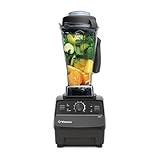
- Included: Vitamix 5200 blender motor base, 64-ounce classic container, and tamper; this kitchen blender container allows for...
- 2 HP Motor: Equipped with a high-performance motor, this countertop blender lets you say goodbye to chunky smoothies and hello to...
- Stainless-Steel Blades: Laser-cut, stainless-steel blades can power through fibrous produce and frozen fruit, crush ice and nuts...

Best for: High-power all-purpose home blender.
A 2 HP motor and a 64-ounce classic container give the Vitamix 5200 the range to handle single-serve smoothies or family-sized batches without swapping jars. The included tamper helps keep thick mixtures moving, so frozen fruit, nut butters, and hot soups blend more evenly from start to finish.
The laser-cut stainless-steel blades are the key advantage here, since they can break down fibrous produce, nuts, and ice without relying on pre-chopped ingredients. The 64-ounce container supports small- to large-capacity blends, so you can make hummus, purees, and sauces in one pitcher. A 2 HP motor gives it the strength for dense blends that stall weaker blenders. The package also includes the motor base and tamper, which means you have the core tools needed to work through thick recipes straight out of the box. For blender buyers focused on consistent texture, that combination matters more than extra presets.
Pros
- 2 HP motor handles dense blends and frozen fruit
- 64-ounce container suits small or large batches
- Laser-cut stainless-steel blades crush ice and nuts
- Tamper helps move thick mixtures toward the blades
Cons
- Single-container setup means you do not get separate cups or a processor bowl for alternate prep sizes.
For buyers who want a straightforward, heavy-duty blender for everyday smoothies and thick recipes, this Vitamix keeps the focus on power and consistency. It is a strong fit if you value one dependable pitcher over a multi-accessory system.
| Specification | Details |
|---|---|
| Brand | Vitamix |
| Motor | 2 HP |
| Container Capacity | 64 ounces |
| Included Components | Motor Base, Classic 64-ounce Container, Tamper |
| Blade Material | Stainless steel |
| Recommended Uses | Smoothies, Soups, Frozen Desserts, Nut Butters, Hummus, Purees, Sauces |
| Number of Items | 1 |
| Container Count | 1 |
| Model Number | 001372 |
I would point this blender at someone who wants a classic high-powered Vitamix experience without extra accessories getting in the way. It suits users who make thick smoothies, hot soups, or nut butters and care more about texture control than automated programs. If you want one pitcher that can handle a wide range of blends, this is an easy one to trust.
2. Ninja Professional Plus Kitchen System, 1400WP, Auto-iQ, Grey, BN801

- POWERFUL CRUSHING: Ninja Total Crushing Blades give you perfectly crushed ice for your smoothies and frozen drinks with 1400 peak...
- FOOD PROCESSING: The 8-cup Precision Processor Bowl provides precision processing for even chopping and smooth purees.
- 5 VERSATILE FUNCTIONS: 5 preset Auto-iQ programs allow you to create smoothies, frozen drinks, nutrient extractions, chopped...
Best for: Multi-tasking kitchen system with presets.
Two 24-ounce single-serve cups, a 64-ounce processor bowl, and a 72-ounce pitcher make the Ninja Professional Plus Kitchen System far more flexible than a single-jar blender. Its 1400 peak watts and five Auto-iQ functions let you switch from smoothies to dough or chopped mixtures without changing the whole appliance.
The 8-cup Precision Processor Bowl is the standout if you want chopping and smooth purees, while the 72-ounce Total Crushing Pitcher handles bigger blended drinks for the family. The package also includes Pro Extractor Blades, spout lids, and a stacked blade assembly, so the system covers both batch blending and grab-and-go servings. Five preset Auto-iQ programs cover smoothies, frozen drinks, nutrient extractions, chopped mixtures, and dough, which reduces manual guesswork. With 1200-watt motor base listed in the components and 1400 peak watts in the product description, it has the power profile that suits users who want one setup for several food-prep jobs.
Pros
- 1400 peak watts support tough ice crushing
- 8-cup processor bowl adds chopping and pureeing
- 72-ounce pitcher handles larger family batches
- Five Auto-iQ programs simplify repeatable recipes
Cons
- The system uses multiple bowls, cups, and blade assemblies, so storage takes more cabinet space than a single-pitcher blender.
This is the right pick if you want blender power plus processor flexibility in one countertop system. It works especially well for households that make both drinks and food prep recipes in the same week.
| Specification | Details |
|---|---|
| Brand | Ninja |
| Peak Wattage | 1400 peak watts |
| Motor Base | 1200-watt |
| Processor Bowl Capacity | 8 cups |
| Pitcher Capacity | 72 ounces |
| Single-Serve Cups | 2 x 24 ounces |
| Functions | 5 preset Auto-iQ programs |
| Included Components | Single-Serve Cups, Motor Base, Processor Bowl, Total Crushing Pitcher, Recipe Inspiration Guide |
| Container Count | 3 |
I think this is the best match for someone who wants one machine to handle blending, chopping, and dough mixing without buying separate appliances. It is especially useful in a busy kitchen where the same base has to cover drinks, sauces, and prep work. If you value versatility over minimalism, this one makes sense very quickly.
3. Ninja Professional Blender, 1000W, Total Crushing Tech, 72oz Pitcher, BL610
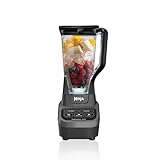
- PROFESSIONAL POWER: 1000 watts of professional power can crush ice and breakdown any tough ingredient.Power source : Corded...
- XL CAPACITY: The 72 oz professional blender pitcher is excellent for making frozen drinks and creamy smoothies for the entire...
- INTELLIGENT TECHNOLOGY: Total Crushing Technology delivers unbeatable power with blades that pulverize and crush through ice...
Best for: Simple large-batch family blender.
A 72-ounce pitcher and 1000 watts of power make the Ninja Professional Blender a strong choice for big smoothies and frozen drinks. Total Crushing Technology pairs with a corded electric base to break down ice and tough ingredients quickly, which is useful when you want a straightforward blender for family-sized batches.
The 72-ounce pitcher is the main draw here, since it gives you enough room for frozen drinks, smoothies, and blended juices without constant refilling. The listed 64-ounce max liquid capacity keeps the fill line clear, which matters when you want safe blending with messy ingredients. At 1000 watts and 12.5 amps, the motor has enough strength for ice crush, pureeing, and mixing tasks that would bog down weaker countertop units. The included recipe guide helps you get started, and the corded electric power source keeps it simple for daily countertop use. This is a practical pick for buyers who want size and power without a complicated control set.
Pros
- 1000-watt motor crushes ice and tough ingredients
- 72-ounce pitcher suits family-sized batches
- Total Crushing Technology speeds up whole-fruit blending
- Corded electric power keeps performance consistent
Cons
- It has one pitcher and no single-serve cups, so it is less convenient for on-the-go drinks.
For households that mainly want a large, dependable blender for smoothies and frozen drinks, this Ninja keeps the buying decision easy. It prioritizes batch size and raw blending power over extra accessories.
| Specification | Details |
|---|---|
| Brand | Ninja |
| Power | 1000 watts |
| Amperage | 12.5 amps |
| Pitcher Capacity | 72 ounces |
| Max Liquid Capacity | 64 ounces |
| Power Source | Corded Electric |
| Technology | Total Crushing Technology |
| Included Components | 1000 watt motor base, 72 oz. Total Crushing pitcher with lid, Recipe Guide |
| Number of Items | 1 |
I’d recommend this to a buyer who wants a large, no-nonsense blender for smoothies, juices, and ice. It is not trying to be a food processor, so the value is in straightforward blending and a roomy pitcher. If your priority is keeping breakfast prep fast for several people, it fits well.
4. Blendtec Designer 650 Red

- Powerful 1560 watt motor |Fully sealed easy clean capacitive touchscreen interface|Preprogrammed cycles: Sauces Batters Ice Crush...
Best for: Premium variable-speed blender for cooks.
A 1560-watt motor and the WildSide+ jar give the Blendtec Designer 650 the kind of blending headroom that matters for hot soup, frozen drinks, and thick sauces. The capacitive touchscreen interface keeps the front panel clean, while the preset cycles add consistency for repetitive recipes.
This model stands out for its mix of manual control and automation: eight manual speeds plus Pulse let you fine-tune texture, and the preprogrammed cycles cover sauces, batters, ice crush, margaritas, smoothies, ice cream, whole juice, hot soup, and fondues. The WildSide+ jar is paired with a vented Gripper lid, which helps with secure blending and everyday pouring. Its blunt safety blade is described as 80% thicker and ten times stronger than other blades, and the design claims to increase blending efficiency for frozen ingredients by up to 25%. The illuminated LCD timer is another practical touch because it shows remaining blend time at a glance. If you want precision as well as power, this is a serious countertop option.
Pros
- 1560-watt motor handles demanding blends
- Eight manual speeds plus Pulse offer fine control
- Preprogrammed cycles support many recipe types
- WildSide+ jar improves frozen-ingredient efficiency
Cons
- The touchscreen-and-programmed design offers less simplicity than a basic one-knob blender for users who only want one speed and a pulse setting.
This is a strong fit for cooks who want more control over texture and a wider recipe range than a basic smoothie blender provides. It suits users who will actually use the presets and manual speeds instead of leaving the machine on one setting.
| Specification | Details |
|---|---|
| Brand | Blendtec |
| Motor Power | 1560 watt |
| Jar | WildSide+ jar |
| Control Type | Capacitive touchscreen interface |
| Manual Speeds | 8 |
| Special Functions | Pulse |
| Preprogrammed Cycles | Sauces, Batters, Ice Crush, Margarita, Smoothie, Ice Cream, Whole Juice, Hot Soup, Fondues |
| Included Components | Motor Base, Wildside+ Jar |
| Manufacture Year | 2021 |
I see this as a good choice for a serious home cook who wants one blender to cover both everyday drinks and more involved recipes. The blend of presets, manual speeds, and a strong motor gives you real control over texture. If you like dialing in results rather than settling for one setting, this one will feel worth it.
5. Ninja Kitchen System Pro+, 72oz Pitcher, 8-Cup, 1200W, Grey, BR601AMZ
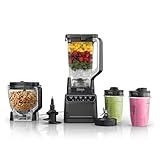
- 1200-WATT MOTOR BASE: Made for powering through the toughest ingredients.
- 5 PRESET PROGRAMS: Controlled speed and time programs for Smoothie, Frozen, Extract, Chop, and Dough help take the guesswork out...
- 72-OZ.* FULL SIZE PITCHER: Great for making large batches for the whole family. (*64-oz. max liquid capacity)
Best for: Family-size kitchen system with cups.
A 1200-watt motor base, a 72-ounce pitcher, and an 8-cup processor bowl make the Ninja Kitchen System Pro+ useful for both drinks and prep work. The included single-serve cups add a second use case, so you can blend a full batch and still pack individual smoothies without another appliance.
The 72-ounce pitcher is the main batch vessel, and the 64-ounce max liquid capacity keeps the fill level manageable for frozen drinks and smoothie mixes. The 8-cup Precision Processor Bowl with flat lid lets you chop, mix, and emulsify beyond simple blending, while the stacked blade assembly and dough blade assembly expand the recipe range. Two 18-ounce single-serve cups with spout lids are included, which makes quick drinks easier on busy mornings. Five preset programs cover Smoothie, Frozen, Extract, Chop, and Dough, and manual speed control gives you another way to tune results. For buyers who want one system that stretches from breakfast drinks to prep tasks, the accessory set is the key advantage.
Pros
- 1200-watt motor base powers tough ingredients
- 72-ounce pitcher supports large batches
- 8-cup processor bowl adds chopping and emulsifying
- Two 18-ounce single-serve cups support portable drinks
Cons
- The system includes many separate blades and containers, so it takes more storage room than a basic blender.
This is a strong all-around setup for households that want blending plus food processing in one footprint. It is especially useful if you make both batch recipes and single-serve drinks during the week.
| Specification | Details |
|---|---|
| Brand | Ninja |
| Motor Power | 1200 watts |
| Pitcher Capacity | 72 ounces |
| Processor Bowl Capacity | 8 cups |
| Single-Serve Cups | 2 x 18 ounces |
| Preset Programs | 5 |
| Included Components | Single-Serve Cups, Pro Extractor Blades Assembly, Motor Base, Total Crushing Pitcher, Precision Processor Bowl, Blade Assemblies |
| Container Count | 4 |
| Recommended Uses | Blending, Chopping, Crushing, Emulsifying, Mixing |
I’d steer toward this if you want a do-everything kitchen system and not just a blender. The single-serve cups make it more practical for people who alternate between family batches and individual drinks. If you are replacing several small appliances, it has a lot of useful range.
6. Ninja Professional Plus DUO Blender, 1400WP, Auto-iQ, 72oz, Black, BN751

- MORE POWERFUL MOTOR: The Ninja Professional Plus Blender with Auto-iQ features a new modern design and a more powerful motor than...
- POWERFUL CRUSHING: Ninja Total Crushing Blades give you perfectly crushed ice for your smoothies and frozen drinks with 1400 peak...
- 3 VERSATILE FUNCTIONS: 3 preset Auto-iQ programs allow you to create smoothies, frozen drinks, and nutrient extractions, all at...
Best for: High-power blender with travel cups.
A 1400 peak-watt motor and a 72-ounce Total Crushing Pitcher give the Ninja Professional Plus DUO a strong batch-blending setup. The two 24-ounce to-go cups make it easy to split off individual servings, so the machine works for both family smoothies and single-portion drinks.
The standout feature is the pair of 24-ounce to-go cups with spout lids, because they let you blend and carry drinks without transferring them to another container. The 72-ounce pitcher handles larger mixes, and the stacked blade assembly is paired with Total Crushing Blades for ice and frozen ingredients. Three Auto-iQ programs cover smoothies, frozen drinks, and nutrient extractions, which keeps operation simple if you repeat the same recipes. The manufacturer also notes that this model has a more powerful motor than Ninja’s original Professional Blender based on operating wattage. For buyers who want strong blending plus portable convenience, the cup set is what tips the scale.
Pros
- 1400 peak watts provide strong crushing power
- 72-ounce pitcher supports large blends
- Two 24-ounce to-go cups add portability
- Three Auto-iQ programs simplify routine recipes
Cons
- It has fewer preset functions than Ninja’s kitchen-system models, so it is less flexible for chopping or dough tasks.
This model makes sense if you mostly want a powerful blender with a practical travel-cup setup. It is a good fit for smoothies, frozen drinks, and quick nutrient blends without extra food-processing parts.
| Specification | Details |
|---|---|
| Brand | Ninja |
| Peak Wattage | 1400 peak watts |
| Pitcher Capacity | 72 ounces |
| To-Go Cups | 2 x 24 ounces |
| Preset Programs | 3 Auto-iQ programs |
| Included Components | To-Go Cups, Motor Base, Total Crushing Pitcher, Recipe Inspiration Guide, Stacked Blade Assembly |
| Recommended Uses | Blending |
| Container Count | 3 |
| Model Number | BN751 |
I like this for someone who wants a high-powered blender and actually uses travel cups. It covers the core smoothie and frozen-drink jobs very well without the clutter of a full kitchen system. If portability matters as much as countertop power, this is a smart balance.
7. Vitamix VX1 Professional-Grade Food Blender for Smoothies and More –
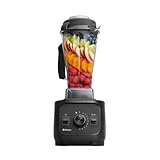
- VITAMIX PERFORMANCE: Built with the power, durability, and reliability of Vitamix, this heavy-duty blender creates...
- POWERFUL BLENDING: A 2.2 HP motor and aircraft-grade stainless-steel blades crush ice, frozen fruit, and fibrous greens; the...
- PRECISE ENGINEERING: Patented container optimizes performance by effectively moving ingredients through the blades, creating the...
Best for: Heavy-duty Vitamix for thick blends.
A 2.2 HP motor paired with aircraft-grade stainless-steel blades gives the Vitamix VX1 the muscle to handle frozen fruit, fibrous greens, and thick smoothies with less strain. The 64-ounce standard container and included tamper make it practical for both daily blending and denser recipes that need help moving toward the blades.
The aircraft-grade stainless-steel blades are the signature feature here, since they are meant to resist dulling and bending for consistent results over time. That matters when you regularly blend ice, greens, or frozen fruit and want smooth texture instead of pockets of unprocessed ingredients. The 64-ounce container is a familiar size for family batches, and the tamper helps with thick blends like hot soups and creamy smoothies. This package also includes the blender base and owner’s manual, keeping the setup simple. With a 5-year limited warranty listed and a professional-grade positioning, it suits buyers who want a serious blender that stays focused on performance rather than gadget count.
Pros
- 2.2 HP motor handles tough frozen ingredients
- Aircraft-grade stainless-steel blades resist dulling
- 64-ounce container suits family-sized batches
- Tamper helps process thick smoothies and soups
Cons
- It comes with a single standard container, so there is no smaller cup or second jar for alternate batch sizes.
For shoppers who want Vitamix power and a straightforward accessory set, this blender is a compelling pick. It is especially good for thick smoothies, soups, and everyday blending where consistency matters.
| Specification | Details |
|---|---|
| Brand | Vitamix |
| Motor | 2.2 HP |
| Container Capacity | 64 ounces |
| Blade Material | Aircraft-grade stainless steel |
| Included Components | VX1 Blender Base, 64-ounce Standard Container, Tamper, Owner’s Manual |
| Number of Items | 1 |
| Container Count | 1 |
| Model Number | 075804 |
I’d recommend this to a buyer who wants a premium blending experience and expects to make thick recipes often. The tamper and strong blade set make it especially friendly for dense mixtures that stall weaker machines. If you want one powerful container and dependable blending, it fits well.
8. Aeitto Blenders for Kitchen with 1800W Motor, 68Oz. Large Capacity,

- 1800W Highest Power Motor: Aeitto blender features a professional-grade motor with up to 1800 watts of power and a peak speed of...
- 68oz. Extra Large Capacity: Designed for large families,this blenders for kitchen has a large 68oz.jar that can process more...
- 2-in-1 Blender & Grinder Combo: Blending & Grinding 2-in-1 Kitchen Combo offers two functions and meets your different...
Best for: High-speed blender with grinder cup.
An 1800-watt motor and a 68-ounce jar give the Aeitto blender the capacity and speed for large family batches, smoothies, and powder grinding. The included grinding cup adds a second function that many basic blenders do not offer, which makes it more useful for ingredient prep beyond drinks.
The peak speed of 25,000 RPM is the other major spec to notice, because it supports fast processing of ice and ingredients when you want smoother results quickly. The 68-ounce extra-large jar is suited to large families or meal-prep batches, and the overheat protection device adds a safety-oriented layer for longer use. The package includes a tamper and a grinding cup, so you can push thick mixes down and also handle dry grinding tasks. That combination makes this model more versatile than a standard smoothie-only blender. If you want a powerful, large-capacity machine with an extra cup for powders, this one stands out on utility.
Pros
- 1800-watt motor provides high blending power
- 25,000 RPM peak speed processes ingredients quickly
- 68-ounce jar supports large family batches
- Grinding cup adds powder and dry ingredient prep
Cons
- The product data does not list preset programs, so operation appears more manual than app- or auto-cycle-based blenders.
This is a strong choice for buyers who want raw power, a big jar, and the ability to grind as well as blend. It is especially appealing if you make larger batches and want one machine to cover more than smoothies.
| Specification | Details |
|---|---|
| Brand | Aeitto |
| Motor Power | 1800 watts |
| Peak Speed | 25,000 RPM |
| Jar Capacity | 68 ounces |
| Included Components | Blender, Tamper, Grinding cup |
| Container Count | 2 |
| Number of Items | 1 |
| Model Number | BLD01 |
| Safety Feature | Overheat protection device |
I’d place this near the top for someone who wants sheer power and a large jar without paying for a bunch of preset extras. The grinding cup makes it more useful than a basic blender for kitchen prep. If your priority is fast processing and batch size, it has the right ingredients.
9. Blendtec Total Blender Classic (Black) & 75oz* FourSide Jar

- 75oz total capacity and 32oz blending capacity; The Fourside Jar has four angles that create a vortex that pulls ingredients into...
- Do more in the kitchen: This blender has preprogrammed cycles for batters, mixed drinks, smoothies, frozen treats, whole juices...
- Feel confident: With technology to make blending simpler and more effective, Blendtec is the ultimate tool for your culinary...
Best for: Vortex-style blender for everyday recipes.
A 75-ounce total capacity and a 32-ounce blending capacity give the Blendtec Total Blender Classic a useful split between overall jar size and workable fill volume. The FourSide jar’s four angles create a vortex that pulls ingredients into the blades, which helps with smoother blending in ordinary kitchen use.
The FourSide jar is the main differentiator, because its four angled sides are meant to keep ingredients moving toward the blade path instead of circling the edges. That helps when you are making batters, mixed drinks, smoothies, frozen treats, whole juices, or hot soup using the preset cycles. The jar is BPA free and dishwasher safe, which is convenient for cleanup after sticky or thick blends. Blendtec also lists this model as having technology that makes blending simpler and more effective, which aligns with its preset-driven approach. With 75 ounces total capacity and 32 ounces blending capacity, it gives you a roomier jar while still defining a practical working volume.
Pros
- 75-ounce total capacity handles larger recipes
- FourSide jar creates a blending vortex
- BPA-free jar is dishwasher safe
- Preset cycles cover many common recipes
Cons
- The 32-ounce blending capacity is lower than the jar’s total capacity, so usable fill volume is more limited than the container size suggests.
This blender suits people who want preset convenience and a distinctive jar shape that helps keep ingredients moving. It is a good fit for common household recipes rather than highly manual texture control.
| Specification | Details |
|---|---|
| Brand | Blendtec |
| Total Capacity | 75 ounces |
| Blending Capacity | 32 ounces |
| Jar | FourSide jar |
| Material | BPA free |
| Care | Dishwasher safe |
| Preset Cycles | Batters, Mixed drinks, Smoothies, Frozen treats, Whole juices, Hot soup |
| Number of Items | 1 |
| Container Count | 1 |
I’d recommend this for someone who likes the idea of a preset blender and wants a jar shape that actively helps with circulation. It is practical for daily smoothies, batters, and soups, especially if cleanup matters. If you prefer a guided blending experience, this is an easy fit.
10. Blendtec Professional 800 Blender (Black) & 90oz* WildSide+ Jar

- 90oz total capacity and 36oz blending capacity; The Wildside+ Jar has a fifth side to create a vortex that eliminates the need for...
- Blendtec Technology: Optimized blunt blade technology pulverizes ingredients for a faster blend; it’s safe to clean; no sharp...
Best for: Quiet-leaning premium Blendtec option.
A 90-ounce total capacity and 36-ounce blending capacity give the Blendtec Professional 800 a larger jar profile for bigger recipes, while the WildSide+ jar adds a fifth side to help create a vortex. The blunt blade technology focuses on fast pulverizing without sharp edges, which is useful for blending and cleaning with less fuss.
The WildSide+ jar is central to this model, since its fifth side helps pull ingredients toward the blades and removes the need for a tamper. That makes it easier to work through thick blends like smoothies and frozen mixtures. Blendtec describes the blade technology as optimized blunt blade technology that pulverizes ingredients faster and is safe to clean, with no sharp edges to catch on hands or utensils. The jar is BPA free and dishwasher safe, which simplifies cleanup after sticky ingredients. The 36-ounce blending capacity is the practical working volume, while the 90-ounce total capacity gives the container a larger overall profile. If you want a premium blender that emphasizes convenience and a cleaner workflow, this one is aimed squarely at that use case.
Pros
- 90-ounce total capacity supports larger containers
- 36-ounce blending capacity suits practical batch sizes
- WildSide+ jar removes the need for a tamper
- BPA-free, dishwasher-safe jar simplifies cleanup
Cons
- The usable blending capacity is 36 ounces, so the jar’s larger total capacity does not equal a full-size working fill for every recipe.
This is a good fit for buyers who want a high-end Blendtec with tamper-free blending convenience. It works best for people who value smooth processing and easy cleanup over a more manual blending setup.
| Specification | Details |
|---|---|
| Brand | Blendtec |
| Total Capacity | 90 ounces |
| Blending Capacity | 36 ounces |
| Jar | WildSide+ jar |
| Material | BPA free |
| Care | Dishwasher safe |
| Blade Technology | Optimized blunt blade technology |
| Number of Items | 1 |
| Container Count | 1 |
I would choose this for a buyer who wants Blendtec’s premium jar design and prefers not to use a tamper. The larger jar and blunt blade setup make it attractive for frequent blending with easier cleanup afterward. If you want a smoother workflow in the kitchen, this is one of the more polished options here.
Quick Comparison Table of Top Blenders for Blender Artists
| Product Name | Power | Capacity | Key Feature | Best For | Check Price |
|---|---|---|---|---|---|
| Vitamix 5200 Professional-Grade Blender, 64 oz. | 2 HP | 64 oz | Tamper included | Smoothies and soups | Check Price |
| Ninja Professional Plus Kitchen System, 1400WP | 1400W | 72 oz | Auto-iQ programs | Family blending | Check Price |
| Ninja Professional Blender, 1000W, Total Crushing | 1000W | 72 oz | Total Crushing tech | Ice and smoothies | Check Price |
| Blendtec Designer 650 Red | 1560W | WildSide+ jar | Touchscreen interface | Advanced blending | Check Price |
| Ninja Kitchen System Pro+, 72oz Pitcher | 1200W | 72 oz | Processor bowl included | Blending and chopping | Check Price |
| Ninja Professional Plus DUO Blender, 1400WP | 1400W | 72 oz | Auto-iQ blending | Frozen drinks | Check Price |
| Vitamix VX1 Professional-Grade Food Blender for | 2.2 HP | 64 oz | Aircraft-grade blades | Restaurant-quality blends | Check Price |
| Aeitto Blenders for Kitchen with 1800W | 1800W | 68 oz | Grinding cup included | High-power kitchen use | Check Price |
| Blendtec Total Blender Classic (Black) | – | 75 oz | FourSide jar | Hot soup and smoothies | Check Price |
| Blendtec Professional 800 Blender (Black) | – | 90 oz | WildSide+ jar | Large batch blending | Check Price |
How to Choose the Best Distro for Blender
Performance and package freshness
Choose a distro with a fast update stream when Blender work depends on fresh GPU support and current features. Look for a recent kernel, current Mesa or proprietary driver packages, and repository access to the latest stable Blender release or a well-maintained backports channel. Strong picks publish security and stability fixes quickly without forcing major breakage, while weak ones leave you stuck on old graphics stacks and stale Blender packages.
For most Blender users, the best choice is a distro that tracks recent kernels and offers up-to-date Blender in the main repositories or trusted backports, so your GPU and app stay in sync.
| Update model | Best for |
|---|---|
| Rolling or fast-moving stable | Users who want the newest Blender builds and graphics fixes |
| Stable with backports | Users who want fresh Blender plus dependable base packages |
| Slow-release stable | Users who value maximum consistency over new features |
Installation and setup ease
Pick an installer that gets you from boot media to a working desktop without manual package hunting. The best choice offers guided partitioning, automatic driver prompts, and easy selection of common extras such as codecs, GPU tools, and archiving utilities. A strong distro also keeps multimedia and dependency repositories easy to enable, so Blender add-ons, image formats, and playback support install cleanly.
Poor picks bury these items behind command-line steps or leave out common dependencies. For beginners and anyone rebuilding a workstation, choose a distro with a graphical installer, clear post-install prompts, and one-click access to graphics and media packages.
Desktop environment and workflow fit
Choose a desktop that stays light while still giving you room to manage timelines, node editors, and multiple viewports. Lightweight environments launch faster and leave more RAM for scenes, so look for clean panels, simple window rules, and easy tiling or snapping. Good workflow desktops also let you save keyboard shortcuts, pin workspaces, and move panels without fighting the interface.
Heavy desktops with cluttered defaults slow down multitasking and make workspace changes harder. For most Blender users, the best pick is a lightweight or moderately trimmed desktop with strong window management and easy panel customization.
| Desktop type | Best for |
|---|---|
| Lightweight desktop | Fast startup and maximum headroom for large scenes |
| Balanced desktop | Mix of visual comfort and efficient multitasking |
| Highly customizable desktop | Users who remap shortcuts and reshape workflows often |
Hardware compatibility and stability
Focus on driver support first, because Blender rendering and simulation depend on stable GPU access. NVIDIA users need easy proprietary driver installation and clear kernel-module handling; AMD users need current open-source graphics stacks and working compute support. Good distros publish straightforward driver instructions and keep OpenCL or equivalent compute packages available through the repositories.
Weak choices split driver pieces across obscure downloads or lag behind on compute support, which slows rendering and causes instability during long jobs. For GPU-heavy Blender work, choose a distro with proven NVIDIA or AMD support and clear compute-package availability.
| Hardware focus | Best for |
|---|---|
| NVIDIA with proprietary drivers | Users who want the simplest path to strong GPU acceleration |
| AMD with current Mesa | Users who prefer open drivers and steady desktop performance |
| OpenCL or compute-focused setup | Users who render and simulate heavily on the GPU |
Community support and documentation
Pick a distro with active forums, searchable guides, and update documentation that explains both the package manager and graphics setup. Strong communities publish Blender-specific tips for drivers, dependencies, and missing-library fixes, so you spend less time guessing and more time working. Clear package docs matter too, because you need to know how to update safely, add repositories, and roll back a bad change.
Thin documentation and inactive forums slow down every fix. For long-term Blender use, choose the distro with the most active user community and the clearest step-by-step update guidance.
Which Should You Choose?
- If you want a dependable all-rounder for smoothies, soups, and small-to-large batches, choose a 2 HP motor with a 64 oz container and a tamper.
- If you plan to crush ice often and want an extra-tough, high-capacity machine, choose at least 1400 peak watts with a 72 oz pitcher and preset programs.
- If you need a versatile kitchen system for blending plus chopping or dough, choose a model with an 8-cup processor bowl and multiple speed presets.
- If you want the strongest performance for heavy-duty blending and easy cleaning, choose 1500+ watts with a sealed touchscreen and automated cycles.
Quick Best Distro For Blender Buying Checklist
- Confirm GPU driver support. Make sure the distro handles your graphics card well, especially if you rely on accelerated rendering.
- Check package freshness. Look for a distro that provides current Blender builds and prompt updates for dependencies.
- Pick a workflow-friendly desktop. Choose an interface that stays responsive and leaves room for panels, viewports, and multitasking.
- Verify installation simplicity. A straightforward installer and easy software center can save time during setup and updates.
- Review stability and maintenance. Select a distro with dependable releases and consistent security fixes for long creative sessions.
- Assess community help. Strong documentation and active forums make it easier to solve Blender and driver issues quickly.
Why Linux Matters for Blender Performance
Blender runs on Windows, macOS, and Linux, but Linux can be especially appealing when you want a lightweight system with fewer background tasks competing for RAM and CPU time. That does not mean every distribution will feel equally fast. Desktop environment, kernel version, driver support, and how much software ships by default all affect responsiveness during modeling, rendering, and simulation work.
A lean distro can help older hardware feel more usable, while a well-supported mainstream release may offer smoother graphics driver setup and fewer surprises. The best distro for Blender is often the one that balances performance with reliable access to up-to-date graphics packages and stable system libraries.
Driver Support for GPU Rendering and Viewport Smoothness
For Blender users, graphics drivers are often more important than the distro label itself. GPU rendering and viewport playback depend on proper support for NVIDIA, AMD, or Intel hardware, and each vendor has different installation paths on Linux. A distro with easy access to proprietary drivers can simplify setup for CUDA or OptiX workflows, while one with strong open-source Mesa integration may be ideal for AMD and Intel users.
If you work with cycles rendering or heavy viewport shading, check whether the distro ships recent kernels and graphics stacks. Good driver availability reduces crashes, improves preview performance, and helps Blender detect the GPU correctly.
| Driver path | Best for |
|---|---|
| Proprietary NVIDIA | CUDA or OptiX rendering |
| Open-source Mesa | AMD and Intel stability |
| Distribution packages | Simple, integrated installation |
| Vendor installers | Fine-grained control |
Package Formats and How Blender Gets Installed
On Linux, Blender may be installed through a distribution repository, a Flatpak, a Snap package, or the official archive from Blender.org. Each format has trade-offs. Repository packages integrate cleanly with the system and receive updates through the normal package manager, but they may lag behind upstream releases.
Flatpaks and Snaps can make it easier to run a newer build across many distros, though they sometimes need extra permissions for file access and GPU features. A manual download gives maximum control and portability.
The best distro for Blender is not only about speed; it is also about how comfortably you can install, update, and launch the version you need for production work.
| Format | Best for |
|---|---|
| Repository package | System integration |
| Flatpak | Cross-distro convenience |
| Snap | Automatic updates |
| Official archive | Latest upstream build |
Desktop Environments That Feel Better in Creative Workflows
Two users on the same distro can have very different experiences depending on the desktop environment. A heavy interface with many background services may consume more memory and add visual clutter, while a lighter desktop can leave more resources available for Blender, especially on modest machines. KDE Plasma, GNOME, Xfce, and LXQt each offer different balances of polish, customization, and resource use.
For creative work, the main goal is to keep the desktop responsive while you switch between asset folders, reference images, and Blender itself. If you use multiple monitors, virtual desktops, or frequent window tiling, the desktop environment can matter almost as much as the distribution choice.
| Desktop | Best for |
|---|---|
| KDE Plasma | Customization and strong tooling |
| GNOME | Simple, focused workflow |
| Xfce | Lower resource use |
| LXQt | Very lightweight setups |
Common Setup Mistakes That Hurt Blender on Linux
Even a strong distro can underperform if Blender is configured poorly. One common mistake is using outdated graphics drivers, which can cause crashes, missing GPU acceleration, or sluggish shading. Another is installing Blender from multiple sources at once, which can lead to conflicting versions, broken add-ons, or missing dependencies.
Users also sometimes ignore Wayland versus X11 behavior, even though windowing differences can affect input latency, tablet support, and multi-monitor behavior. It is also worth checking that your permissions allow access to project folders, cache locations, and external storage.
Careful setup prevents problems that people often blame on the distribution itself.
- Update graphics drivers before testing Blender.
- Use one installation source for Blender.
- Confirm tablet and monitor settings early.
- Test file access on all project drives.
Frequently Asked Questions (FAQs)
What Makes A Distro Good For Blender?
A good distro for Blender offers current graphics drivers, stable updates, and easy access to the app itself. The best distro for blender also keeps GPU compute support reliable, which matters when you render, simulate fluids, or work with large scenes.
Should I Choose A Lightweight Desktop For Blender?
Yes, a lightweight desktop can improve the best distro for blender by leaving more memory and CPU resources for rendering and modeling. A lean environment also helps older systems stay responsive while you switch between viewports, timelines, and asset browsers.
How Important Are Gpu Drivers In A Blender-Focused Distro?
GPU drivers are critical in the best distro for blender because they affect viewport performance, Cycles acceleration, and overall stability. A distro with well-maintained NVIDIA or AMD support reduces crashes and helps rendering engines use your hardware efficiently.
Is Stability More Important Than The Newest Software?
Stability is often more important than chasing the newest software in the best distro for blender. Reliable updates, tested packages, and fewer conflicts help protect long projects, especially when you depend on plugins, add-ons, and consistent rendering behavior.
Can Beginners Use A Distro For Blender Easily?
Yes, beginners can use the best distro for blender if the system has a simple installer, clear software management, and good documentation. A friendly setup reduces friction when adding drivers, codecs, and Blender itself, so you can start creating faster.
What Hardware Matters Most For Blender On Linux?
The most important hardware for the best distro for blender is a capable GPU, enough RAM, and a modern CPU. Those components have the biggest effect on viewport smoothness, scene complexity, and render speed, especially for animation and simulation work.
How Do I Know If A Distro Will Support My Workflow?
You know a distro fits the best distro for blender workflow when it supports your drivers, installs Blender cleanly, and stays responsive during heavy tasks. Test your typical add-ons, file formats, and rendering settings to confirm it matches your production needs.
Final Suggestions
Choosing the best distro for blender comes down to a balance of speed, stability, and hardware support. When your system offers dependable drivers, smooth updates, and a workflow-friendly desktop, Blender feels more responsive and productive. With the right distro in place, you can focus on creating, rendering, and refining your ideas with confidence.