Top 10 Best Mac For Blender: Must-See Picks
The best mac for blender can make a major difference when complex scenes demand speed, stability, and precision. For 3D artists, the right Apple hardware is more than a sleek machine; it is a creative engine shaped by unified memory, strong GPU performance, and efficient thermal design. Choosing the best Mac for Blender often means balancing render performance, display quality, and long-session reliability across demanding modeling, animation, and lighting tasks.
Small differences in chip architecture, memory bandwidth, and storage speed can affect how smoothly your workflow feels. In this guide, we explore what separates an average setup from a truly capable Blender workstation, and why the right Mac deserves a closer look before you commit.
Detailed Reviews of the Best Mac for Blender
1. Oster Pro 1200 Blender with Glass Jar, Brushed Nickel, 24
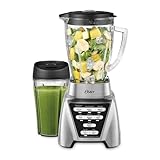
- Smart settings technology and 7 speeds including 3 pre-programmed settings for the most common blender creations
- Dual direction blade technology for extra blending power to chop and grind with precision extra wide 3.5” blade system allows...
- 1200 power watts and 900 watts of ice crushing power

Best for: Heavy-duty blending for big batches.
A 1200-watt motor gives this Oster blender the muscle to handle smoothies, crushed ice, and tougher blend jobs with less stalling. The 6-cup Boroclass glass jar adds enough room for family-sized recipes, while the 3.5-inch blade system helps ingredients drop into the cutting zone for smoother results. That combination matters when you want one machine that can move from breakfast drinks to frozen mixes without slowing down.
Seven speeds plus 3 pre-programmed settings give you more control over texture, so you can move from quick pulsing to fully blended pours without guessing. The dual-direction blade technology is a concrete advantage here, since it helps chop and grind from more than one angle for more even processing. A pulse feature adds short bursts of power for chunky salsas or cautious starts with dry ingredients. The Boroclass glass jar is dishwasher safe and made to withstand thermal shock, which makes hot-and-cold blending easier to manage in daily use. With 900 watts of ice-crushing power, this model is aimed at buyers who want dependable frozen drink performance.
Pros
- 1200-watt motor handles demanding blends
- 7 speeds with 3 pre-programmed settings
- 6-cup Boroclass glass jar resists thermal shock
- Dual-direction blades improve chopping and grinding
Cons
- The included jar is 6 cups, so it is less suited to extra-large party batches than bigger pitcher models.
For buyers who want a straightforward countertop blender with real power and a glass jar, this Oster is a practical fit. It is especially appealing if ice crushing and everyday smoothie making are the main jobs.
| Specification | Details |
|---|---|
| Brand | Oster |
| Power | 1200 power watts |
| Ice Crushing Power | 900 watts |
| Jar Capacity | 6 cup |
| Jar Material | Boroclass glass |
| Speed Settings | 7 speeds |
| Pre-programmed Settings | 3 |
| Blade System | Extra wide 3.5-inch blade system |
| Special Features | Smart settings technology, Dual direction blade technology, Pulse feature |
| Included Components | 1 x Smoothie Cup |
I would point this to someone who wants a dependable blender for smoothies, frozen drinks, and regular kitchen blending without jumping to a larger system. The glass jar is a real plus if you prefer a sturdier container, and the speed options make it easier to dial in texture. It feels most at home in an everyday kitchen where ice crushing and smooth results matter more than extra accessories.
2. AOA Studio Collection Makeup Sponge Set Makeup Blender Latex Free
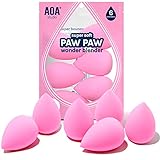
- ❣️Made from Latex free makeup blender sponge.
- ❣️Makeup sponges for BB cream, cosmetic foundation, concealer, powder, liquid, and etc.
- ❣️Super Soft feeling wonder blender.
Best for: Latex-free makeup tool set.
Six latex-free makeup sponges in one pack give you enough tools to rotate through foundation, concealer, powder, and BB cream without reaching for the same sponge all week. Their soft shape is made for wet or dry use, which lets you choose lighter blending or fuller coverage depending on the product. For makeup buyers, that flexibility matters because one set covers multiple textures and application styles.
The 6-count package is the main draw here, especially if you like to keep a clean sponge on hand for every step of a routine. Each sponge is described as super soft and uniquely shaped, so gripping it for under-eye concealer or larger foundation areas is easier than with a flat block. At 6 g total item weight, these are lightweight tools that are easy to store in a makeup bag. The latex-free material is the key detail for users who want to avoid latex-based applicators. Because they work wet and dry and are easy to clean, they can serve both quick touch-ups and more polished base makeup application.
Pros
- 6-count set provides multiple replacement sponges
- Latex-free material suits latex-avoidant users
- Wet and dry use adds application flexibility
- Unique shape improves grip for detailed blending
Cons
- The set includes only sponges, so it does not add any brush or tool for cream, powder, or eye makeup application beyond the blender itself.
If you want a simple sponge set for everyday base makeup, this pack covers the basics well. It makes sense for users who want soft, reusable applicators and the convenience of having extras ready to go.
| Specification | Details |
|---|---|
| Brand | AOA Studio |
| Package Size | 6 Count |
| Unit Count | 6 Count |
| Item Weight | 6 g |
| Material | Latex free |
| Recommended Uses | BB cream, cosmetic foundation, concealer, powder, liquid |
| Special Features | Wet and dry use, easy to clean |
| Item Type | Makeup Sponge |
I would only point a Mac buyer here if they meant a makeup blender, because that is what this product actually is. For beauty routines, it is a smart pick thanks to the soft feel, latex-free material, and the 6-pack format. People who use different complexion products across the week will probably appreciate having several clean sponges on hand.
3. Apple MAC Studio MU973LL/A Early 2025 Desktop Computer

- APPLE MAC STUDIO MU973LL/A EARLY 2025 DESKTOP COMPUTER
Best for: Desktop workstation for creative pros.
Apple’s Mac Studio format is the headline here, giving buyers a compact desktop computer rather than a portable machine. That form factor matters for Blender users who want a stationary workstation and the headroom of a full desktop setup. With one unit included and Apple hardware at the core, this is the kind of product aimed at users who plan to keep their 3D work anchored to a desk.
The model number MU973LL/A identifies this as a specific Apple Mac Studio configuration, which helps shoppers compare it against other Apple desktops more precisely. It ships as a single desktop computer, so the purchase is focused on the tower-style unit rather than accessories. The manufacturer is Apple, while the brand listing is Microcenter, which may matter to buyers checking the exact seller listing and package source. Because the data does not list processor, memory, or graphics details, the safe takeaway is that this is a desktop-class Apple machine for users who need a dedicated workspace. For Blender work, that means it is better suited to a fixed studio setup than to casual, portable use.
Pros
- Desktop form factor suits a fixed Blender workstation
- Apple-manufactured machine for macOS users
- Single-unit configuration keeps the setup straightforward
- Specific model number helps with exact configuration checks
Cons
- The listing does not provide processor, memory, or GPU specifications, so performance-minded Blender buyers cannot verify render capability from the data alone.
This is a fit for buyers who already want a Mac Studio layout and are shopping for a desktop Apple machine first. It makes the most sense when your Blender workflow is tied to a permanent desk setup and you value the macOS platform.
| Specification | Details |
|---|---|
| Brand | Microcenter |
| Manufacturer | Apple |
| Model Number | MU973LL/A |
| Part Number | MU973LL/A |
| Unit Count | 1 Count |
| Number of Items | 1 |
My take is that this listing is only useful if you already know you want a Mac Studio specifically. The data is too thin for deep Blender performance comparison, but the desktop Apple format is clear enough for buyers who are choosing within the Mac ecosystem. If your priority is a compact workstation rather than portability, this is the kind of setup that fits that brief.
4. Organic Traditions Maca X 6 Root Powder, Concentrated Blend, 5.3oz

- Concentrated Maca Blend For Traditional Vitality: Crafted from organic black, red, and yellow maca roots, this blend reflects...
- Potent Combination Of Three Maca Varieties: This formula brings together black, red, and yellow maca to offer a broad nutritional...
- Traditionally Valued For Steady Daily Energy: Maca has long been consumed in Peru by communities seeking a dependable source of...
Best for: Concentrated maca for daily routines.
A concentrated blend made from black, red, and yellow maca roots gives this powder a more specialized profile than a single-root supplement. The key ratio is concrete: 6 pounds of fresh maca are used to make 1 pound of powder, which tells you it is designed as a dense ingredient for drinks or recipes. That concentration matters for shoppers who want a small container with a stronger root-to-powder conversion.
The 5.3-ounce bag is a manageable size for regular use, especially if you add maca to smoothies, shakes, or baked recipes. Because the formula combines black, red, and yellow maca, you get a blended profile rather than a single-variety powder. The product is labeled vegetarian and vegan, which keeps it aligned with plant-based routines. It is also described as non-GMO and traditionally used in Peru for vitality, giving buyers a clear idea of the ingredient’s positioning. The container is a bag, so it is easy to store in a pantry and scoop as needed. For daily beverage use, the powder format is simple to mix into a blender or shaker.
Pros
- 6:1 concentration gives a dense powder
- Blend of black, red, and yellow maca roots
- Vegan and vegetarian formulation
- 5.3-ounce bag is easy to store and scoop
Cons
- The powder form requires mixing into another drink or recipe, so it is not a ready-to-use beverage on its own.
This is a good match for shoppers who already use maca in smoothies or recipes and want a concentrated powder. It works best as a pantry ingredient rather than a standalone supplement format.
| Specification | Details |
|---|---|
| Brand | Organic Traditions |
| Item Form | Powder |
| Container Type | Bag |
| Diet Type | Vegetarian |
| Product Benefits | Energy Management |
| Age Range | Adult |
| Item Highlight | Black, Red, and Yellow Maca Blend |
| Dosage Form | Powder |
I’d suggest this to someone who already knows they like maca and wants a concentrated blend for smoothies or recipes. The 6:1 conversion is the standout factual detail because it signals a dense powder rather than a loose, bulkier ingredient. It should satisfy users who want a plant-based powder with a traditional maca profile.
5. Ninja Kitchen System Pro, 1500W, 72oz Pitcher, 8-Cup, Black, BL770

- ALL-IN-ONE KITCHEN SYSTEM: Blend, chop, crush and more in this powerhouse blender and food processor combo.
- POWERFUL MOTOR:1500-watt motor base to crush ice, blend frozen fruit, and power through tough ingredients with the 2-horsepower...
- BLENDING TECHNOLOGY: The XL 72-oz.* pitcher, ideal for large batches and entertaining, features Total Crushing Blades that crush...
Best for: High-power all-in-one blending station.
A 1500-watt motor base gives this Ninja system serious force for ice, frozen fruit, and thick mixtures. The 72-ounce pitcher is the biggest practical cue here, because it is aimed at large batches and entertaining rather than single-serve blending. With an 8-cup food processor bowl included, this machine covers both blending and prep work in one setup.
The included components are extensive: a 1500-watt motor base, a 72-ounce Total Crushing Pitcher, two 16-ounce Nutri Ninja cups with to-go lids, an 8-cup food processor bowl, and a dough blade. That combination matters because it lets one countertop unit handle smoothies, chopping, and dough tasks without swapping to a separate appliance. The pitcher is listed as XL and is intended for large batches, while the food processor bowl adds everyday prep flexibility. The system is also described as crushing ice to snow in seconds, which gives buyers a clear idea of its frozen-drink focus. Since the unit count is one and the pack count is one, this is a single purchase with multiple functions built in.
Pros
- 1500-watt motor powers dense ingredients
- 72-ounce pitcher suits large batches
- 8-cup food processor bowl adds prep versatility
- Two 16-ounce to-go cups support single-serve use
Cons
- The 72-ounce pitcher lists a 64-ounce maximum liquid limit, so it cannot be filled to the top for every recipe.
Buyers who want one machine to cover blending and food processing will find a lot of utility here. It is especially compelling for larger households or anyone making frozen drinks and prep-heavy recipes often.
| Specification | Details |
|---|---|
| Brand | Ninja |
| Power | 1500-watt |
| Pitcher Capacity | 72-oz. |
| Food Processor Bowl Capacity | 8 Cup |
| Included Cups | (2) 16-oz. Nutri Ninja Cups with To-Go-Lids |
| Motor Base | 1500-watt Motor Base |
| Included Components | 72-oz. Total Crushing Pitcher, 8 Cup Food Processor Bowl, Dough Blade |
| Recommended Uses | Blending, Chopping |
| Container Count | 3 |
I’d recommend this to someone who wants one appliance to replace more than one countertop tool. The large pitcher and included processor bowl make it a better fit for busy kitchens than a basic blender, and the to-go cups are useful when you want a quick smoothie without dirtying the main pitcher. It feels most worthwhile for households that batch-prep often.
6. Sigma Beauty E25 Blending Brush – Eyeshadow Blending Brush, Round

- Seamless Color Blending: Create smooth transitions and soften harsh edges with this eyeshadow blending brush. The slightly firm...
- Designed For Every Skill Level: Whether you're refining an everyday look or adding depth for special occasions, this tool helps...
- Premium Fiber Performance: Exclusive SigmaTech synthetic fibers are engineered to evenly pick up, hold, and distribute powder...
Best for: Precision blending for eye looks.
A slightly firm, rounded brush head gives this Sigma brush the control needed to blend eyeshadow without overdiffusing it. The shape matters because it can soften edges in the lid and crease while still placing color deliberately. For makeup users who want one brush to handle both blending and definition, the round head is the defining feature.
Special features like antimicrobial fibers, a patented ferrule, a rounded fattened head, and a waterproof handle make this brush more functional than a generic blending tool. Those features matter in real use because they support easier cleanup, a secure brush structure, and comfortable handling around the eye area. The E25 is recommended for applying and blending eyeshadow on the lid and crease, so it is aimed at softening harsh lines rather than packing on dense color only. It is listed as suitable for sensitive skin, which gives cautious buyers extra confidence. Since it is sold as a single-count brush, it works as a focused specialty tool rather than a full set.
Pros
- Rounded head softens harsh lines in the crease
- Antimicrobial fibers add a hygiene-focused material choice
- Waterproof handle improves everyday handling
- Suitable for sensitive skin use
Cons
- It is a single specialty brush, so buyers need other eye brushes for packing, liner work, or full eye-shape mapping.
This brush makes sense for anyone who wants a dependable blending tool for eyeshadow transitions. It is especially useful if you care about controlled diffusion in the crease and lid area.
| Specification | Details |
|---|---|
| Brand | Sigma Beauty |
| Recommended Uses | Applying and Blending Eyeshadow on the Lid and Crease to Soften Harsh Lines |
| Unit Count | 1 Count |
| Special Features | Antimicrobial Fibers, Patented Ferrule, Rounded Fattened Head, Waterproof Handle |
| Package Size | Single |
| Age Range | Adult |
| Model Number | E25 |
| Skin Type | Sensitive |
I like this for someone who already knows they need a dedicated blending brush rather than a full brush set. The rounded head and waterproof handle make it practical for everyday eye looks, and the sensitive-skin note is reassuring. If soft transitions in the crease matter most, this is the kind of brush that earns a permanent spot in a makeup bag.
7. Flat Top Kabuki Foundation Brush By KESHIMA, Premium Makeup Brush

- DENSE makeup brush with flat head, perfect as a buffing and blending brush. The brush measures 5.71 inch in length and the brush...
- EVEN, STREAK FREE & PATCH FREE APPLICATION – Achieve a flawless look every single time. Far superior to using a beauty sponge or...
- HIGHEST QUALITY MATERIALS - Made with premium quality synthetic fibers - as soft as real hair, don't absorb foundation into the...
Best for: Dense foundation coverage brush.
A flat-top kabuki head gives this KESHIMA brush a clear advantage for buffing liquid foundation into the skin with even pressure. At 5.71 inches long with a 1.2-inch brush head diameter, it is sized for controlled face makeup application rather than loose, airy powder work. The dense synthetic fiber construction is the key reason it can spread product smoothly without soaking it up.
Premium synthetic fibers are the standout material detail here, because they are described as soft like real hair while not absorbing foundation into the brush itself. That means more product stays on the face instead of disappearing into the bristles. The flat head and dense build are what make the brush suited to streak-free and patch-free application, especially for users who prefer buffing liquid or cream foundation. Its 5.71-inch length gives a comfortable handhold, and the 1.2-inch head diameter keeps the coverage area focused. The model is marked not tested on animals and is recommended for all skin tones and a wide range of skin types, which broadens its usefulness in daily face makeup routines.
Pros
- Flat-top kabuki head supports even buffing
- Dense synthetic fibers reduce product absorption
- 5.71-inch length offers easy control
- 1.2-inch head diameter targets foundation application
Cons
- The brush is focused on face makeup, so it is not the right tool for eye blending or detailed concealer work.
This is a strong choice for users who want a foundation brush that buffs product smoothly and evenly. It is most useful for liquid or cream base makeup where coverage consistency matters.
| Specification | Details |
|---|---|
| Brand | KESHIMA |
| Recommended Uses | Face Makeup |
| Unit Count | 1 Count |
| Special Features | Not Tested On Animals |
| Model Number | KESH-FTK1 |
| Skin Tone | All |
| Skin Type | Combination, Dry, Normal, Oily, Sensitive |
| Brush Length | 5.71 inch |
| Brush Head Diameter | 1.2 inch |
I think this brush will satisfy people who prefer a dense foundation tool over a sponge. The flat head and synthetic fibers are the practical reasons to choose it, especially if you want less product waste and a more polished finish. It is a sensible pick for everyday base makeup, not a specialty brush for detail work.
8. Smoothie Blender, 16Pcs Portable Personal Blender Shakes Smoothies Max 900W

- 2-IN-1 BLENDING & GRINDING PERFORMANCE: This personal blender for kitchen features food-grade 304 stainless steel cross blades for...
- POWERFUL 900W MOTOR & 25000RPM HIGH SPEED: This smoothie blender features a peak power 900W all-copper turbo motor with 25000RPM...
- VERSATILE CUPS & ON-THE-GO CONVENIENCE: This personal blender for smoothies includes two 650ml blender cups, one 500ml cup, three...
Best for: Portable blender with grinding extras.
Two blending blades and two portable cup sizes make this 16-piece Savorfuze set unusually flexible for a compact personal blender. The 900W peak motor and 25,000 RPM speed are the concrete specs that matter most, because they point to fast blending and grinding for smoothies, frozen drinks, coffee beans, and nuts. For buyers who want a single personal blender that can travel with them, the included to-go lids are a practical plus.
Food-grade 304 stainless steel cross blades give this blender a clear materials advantage for everyday blending, while the flat blade extends its use into coffee and nut grinding. The set includes two 650 ml portable cups, one 500 ml cup, and one 10 oz grinding cup, which means it can cover both drinks and dry grinding tasks without extra containers. A full accessory bundle also comes with three to-go lids, extra sealing rings, a cleaning brush, a recipe book, and a user manual. The all-copper turbo motor is listed at 900W peak power and 25,000 RPM, which is the key performance combination for quick personal blending. The 16-item package makes this a highly accessory-rich option.
Pros
- 900W peak motor supports fast personal blending
- 25,000 RPM speed aids efficient mixing
- 304 stainless steel cross blades add durability-focused materials
- Includes multiple cup sizes and to-go lids
Cons
- The cup-based design is oriented toward personal portions, so it is not the best choice for large family batches.
This blender works well for users who want a portable setup with real grinding capability, not just basic smoothie mixing. It is especially attractive if you like single-serve drinks and value having several cup options in one package.
| Specification | Details |
|---|---|
| Brand | Savorfuze |
| Power | 900W |
| Speed | 25000RPM |
| Included Cups | 2 x 650ml portable cups, 1 x 500ml cup, 1 x 10oz grinding cup |
| Blade Material | Food-grade 304 stainless steel |
| Number of Items | 16 |
| Recommended Uses | Blending, Grinding, Ice Crush, Protein |
| Model Number | BL311A |
| Container Count | 4 |
I’d steer this toward someone who wants a portable personal blender with more than one blade option. The cup selection and grinding setup make it useful for smoothies in the morning and coffee or nut grinding later. It is a good fit if you care about convenience and don’t need a full-size countertop machine.
9. Bear Blender, 2025 New 700W Smoothie Countertop Blender with 40oz

- SUPERIOR BLENDING POWER: Unleash the true potential of our high-speed blender powered by a robust 700W motor. Achieve perfect...
- SUITABLE 40-OZ CAPACITY: Ideal for family gatherings and parties, Bear 40-ounce blender jar is perfect for preparing large batches...
- EFFORTLESS CLEANING: Crush ice with ease using the convenient PULSE function, allowing short bursts of powerful blending. Cleaning...
Best for: Family-size smoothie blender.
A 700W motor and a 40-ounce jar put this Bear blender squarely in the family-batch category. The 3-speed control gives a real step up from basic one-button machines, and the hardened six stainless steel blades are the part that matters when you need consistent smoothie or ice-crush results. For buyers shopping for the best Mac for Blender, the important point is that this is a straightforward countertop blender rather than a computer.
The 40-ounce capacity is large enough for shared smoothies, frozen drinks, and mixed beverages without constant refilling. Adjustable 3-speed control helps you shift between blending, crushing, and pulsing tasks, while the 700W motor provides the baseline power for those jobs. The hardened 6 stainless steel blades are the practical reason it can handle tougher ingredients more reliably than a single-blade personal unit. A measuring cup is included, which helps with clean pouring and portion control. The model number LLJ-B12K1 and manufacture year 2024 help distinguish the listing, and the package comes as a single countertop unit with a dough blade included in the components.
Pros
- 40-ounce jar suits shared recipes
- 700W motor covers everyday blending tasks
- 3-speed control improves texture control
- Six stainless steel blades support ice crushing
Cons
- The 40-ounce jar is useful for families, but it is smaller than larger pitcher-style blenders for big entertaining batches.
This is a sensible pick if you want a simple countertop blender for smoothies and daily mixing. It fits best in homes where medium-size batches matter more than heavy-duty multi-tool functions.
| Specification | Details |
|---|---|
| Brand | Bear |
| Power | 700W |
| Capacity | 40oz |
| Speed Control | 3-speed |
| Blade Material | Hardened 6 stainless steel blades |
| Included Components | Dough Blade |
| Model Number | LLJ-B12K1 |
| Manufacture Year | 2024 |
| Unit Count | 1 Count |
I’d recommend this to a buyer who wants a simple, family-size blender for smoothies and ice-based drinks. The 40-ounce jar hits a useful middle ground: larger than a personal cup, but not oversized. If you want basic blending with a bit more room and control, this is a practical, easy-to-understand option.
10. Blender 1800W, High Speed Countertop Blender with 60oz BPA-Free Jar

- 🍨🍨Professional-Grade Power: This blender boasts a powerful 1800W motor that can help you create a wide variety of delicious...
- 🍨🍨Hardened Ice-Crushing Stainless Steel: With food-grade 304 stainless steel, the six-blade design can crush ice with ease...
- 🍨🍨Variable Speed and Pulse Function: The OMMO Blender allows you to adjust the speed and pulse as you blend, giving you...
Best for: High-power frozen drink blender.
An 1800W motor is the defining feature here, giving this OMMO blender the strongest wattage in the group. The 60-ounce BPA-free jar gives it enough size for blended drinks and frozen cocktails, while the six-blade stainless steel design focuses directly on ice-crushing performance. For buyers who care about blender capability first, that combination is straightforward and useful.
The 60-ounce jar provides a solid middle ground between personal and large-batch blending, so it can handle multiple servings without taking over the counter. Food-grade 304 stainless steel blades are another concrete advantage because they are aimed at hard ice and frozen ingredients. Variable speed and pulse functions add real control, letting you start slowly, increase power, or use short bursts as needed for texture. The item is sold as a single blender with one jar included, and the model number HS-202 makes it easy to identify in a comparison search. Since it is specifically recommended for ice crush use, this model is particularly relevant for smoothies and frozen cocktails.
Pros
- 1800W motor delivers strong blending power
- 60-ounce jar supports multiple servings
- BPA-free jar adds material clarity for food contact
- Variable speed and pulse improve texture control
Cons
- Only one jar is included, so there are no separate travel cups or processor attachments for other blending tasks.
For shoppers who want raw power in a straightforward countertop blender, this model is easy to understand. It is especially appealing for frozen drinks and ice-heavy recipes where stronger motor output matters.
| Specification | Details |
|---|---|
| Brand | OMMO |
| Power | 1800W |
| Jar Capacity | 60oz |
| Included Components | 60oz Jar |
| Recommended Uses | Ice Crush |
| Number of Items | 1 |
| Number of Packs | 1 |
| Unit Count | 1 Count |
| Model Number | HS-202 |
| Container Count | 1 |
I’d put this near the top for someone who cares most about motor power and frozen drink performance. The 1800W rating is the standout, and the 60-ounce jar keeps it useful for more than one serving at a time. If your Blender use is mostly smoothies, shakes, and ice-crushing recipes, this is the most forceful pick in the set.
Quick Comparison Table of Top Macs for Blender
| Product Name | Power | Capacity | Type | Best For | Check Price |
|---|---|---|---|---|---|
| Oster Pro 1200 Blender with Glass | 1200W | Glass jar | Countertop | Smooth blending | Check Price |
| AOA Studio Collection Makeup Sponge Set | Latex-free | 6 count | Makeup sponge | Foundation blending | Check Price |
| Apple MAC Studio MU973LL/A Early 2025 | Desktop | 1 count | Apple Mac Studio | Creative work | Check Price |
| Organic Traditions Maca X 6 Root | Powder | 5.3oz | Maca root | Energy support | Check Price |
| Ninja Kitchen System Pro, 1500W, 72oz | 1500W | 72oz pitcher | Kitchen system | Heavy-duty blending | Check Price |
| Sigma Beauty E25 Blending Brush | Eyeshadow | 1 count | Blending brush | Eye makeup | Check Price |
| Flat Top Kabuki Foundation Brush By | Face makeup | 1 count | Flat top brush | Flawless base | Check Price |
| Smoothie Blender, 16Pcs Portable Personal Blender | 900W | 16 pieces | Portable blender | On-the-go smoothies | Check Price |
| Bear Blender, 2025 New 700W Smoothie | 700W | 40oz jar | Countertop blender | Family smoothies | Check Price |
| Blender 1800W, High Speed Countertop Blender | 1800W | 60oz jar | High-speed blender | Ice crushing | Check Price |
How to Choose the Best Mac for Blender
Processing power and chip performance
Choose the fastest chip you can justify for Blender because CPU rendering, physics, and scene preparation punish weak sustained performance. Favor a higher core count and a chip that holds boost speeds under long exports, not just short bursts. For viewport work, pick stronger integrated graphics or a model with the best available GPU tier so navigation, shading, and Eevee playback stay smooth.
Large scenes also benefit from more unified memory, which keeps textures and geometry in one pool instead of forcing constant swapping. For serious Blender work, choose a Mac with the highest-core chip and strongest graphics tier in your budget, plus ample unified memory for complex scenes.
| Type | Best for | What to look for |
|---|---|---|
| Base chip | Light modeling and learning Blender | Enough cores for basic renders and smooth general use |
| Mid-tier chip | Mixed modeling, shading, and occasional rendering | Higher core count and stronger GPU for steady performance |
| Top-tier chip | Large scenes and frequent rendering | Maximum cores, top graphics, and strong sustained cooling |
Memory and storage configuration
Start with 16GB of memory as the practical floor for Blender, because less than that forces scene management to feel cramped once you add textures, modifiers, and background apps. For larger environments, simulation work, and heavier multitasking, 24GB or 32GB gives smoother handling and fewer pauses when assets pile up. Storage needs follow the same pattern: 512GB works for smaller libraries, while 1TB or more fits projects, caches, and exports without constant cleanup.
External SSD support matters for growing asset libraries, so choose a Mac with fast Thunderbolt storage support and enough internal headroom for active work. For most buyers, pick 16GB and 512GB at minimum, then move to 24GB or 1TB for larger Blender projects.
| Configuration | Best for | What good looks like |
|---|---|---|
| 16GB / 512GB | Learning and moderate scenes | Responsive file handling and enough room for active projects |
| 24GB / 1TB | Serious modeling and texture-heavy work | Better multitasking and fewer storage bottlenecks |
| 32GB+ / 1TB+ | Large simulations and big productions | Comfortable cache space and smooth memory headroom |
Display quality and workspace comfort
Pick the screen size that matches how long and how carefully you work. A 14-inch Mac suits portability and short sessions, but a 16-inch or larger display gives clearer access to timelines, panels, and node work without constant zooming. Color accuracy matters for materials and final output, so look for a display with wide color support, strong factory calibration, and consistent brightness across the panel.
Higher resolution makes fine modeling lines and texture details easier to judge, and strong brightness helps in mixed lighting. For desk-based Blender work, choose the larger, brighter, higher-resolution screen; for mobile use, take the compact model only when portability matters more than workspace.
| Size | Best for | Trade-off |
|---|---|---|
| 14-inch | Travel and lighter sessions | Less room for panels and detailed editing |
| 16-inch | Daily Blender work at a desk | More comfortable workspace and better visibility |
| Large desktop-class display | Long editing and layout sessions | Least portable, most comfortable for precision work |
Connectivity and expansion options
Look for enough high-speed ports to keep your workflow direct and uncluttered. Two or more Thunderbolt or USB-C ports give room for fast external storage, hubs, and a monitor connection without constant swapping. Strong external display support matters for multitasking and node-heavy work, and tablet compatibility is essential for sculpting, texture painting, or precision drawing input.
Reliable Wi‑Fi and Bluetooth keep cloud sync, wireless accessories, and file sharing stable, while older gear still needs a clear adapter plan for USB-A drives, SD cards, or audio interfaces. For a Blender setup, choose the Mac with the most Thunderbolt/USB-C flexibility and solid external display support, then add adapters only for legacy equipment.
| Connectivity | Best for | What to check |
|---|---|---|
| 2+ Thunderbolt/USB-C ports | Fast accessories and storage | Enough ports to keep a monitor and drive connected |
| External display support | Multitasking and layout work | Native support for the number of monitors you use |
| Tablet and adapter use | Creative input and older gear | Stable tablet support and clear legacy-port coverage |
Cooling, noise, and longsession reliability
For heavy Blender sessions, choose the Mac that keeps performance steady when renders, exports, and viewport work run together. Strong cooling matters more than peak specs on paper, because a machine that holds its speed for hours finishes jobs faster and stays more predictable. Quieter fans suit shared studios and late-night work, so look for a chassis with efficient airflow rather than a thin body that heats up quickly.
Battery life matters for portable drafting and scene review, but it does not replace thermal stability under load. For the best long-session Mac for Blender, pick the model with the strongest cooling system and the longest sustained performance, then use battery life as a portability bonus rather than the main buying rule.
Which Should You Choose?
- If you want a powerful desktop setup for heavy Blender renders and large scene files, choose a Mac Studio with a high-performance chip and at least 32GB of unified memory.
- If you plan to do occasional 3D work alongside general creative tasks, choose a compact Mac with a strong multi-core processor and 16GB to 24GB of unified memory.
- If you work with simple models, quick viewport edits, and smaller Blender projects, choose a Mac with a balanced chip, fast SSD storage, and 16GB of unified memory.
- If you need the smoothest experience for simulations, textures, and multitasking with other apps open, choose a machine with the highest GPU performance and the most unified memory you can afford.
Quick Best Mac For Blender Buying Checklist
- Choose a fast chip that can handle rendering, animation, and multitasking without lag.
- Prioritize enough memory so large scenes, textures, and plugins stay responsive.
- Pick ample storage for project files, caches, and exported video assets.
- Check port availability for external drives, tablets, and multiple displays.
- Look for strong thermal performance to maintain speed during long Blender sessions.
- Match the display to your workflow with good size, sharpness, and color accuracy.
How Blender Uses Apple Silicon on a Mac
Blender runs well on modern Macs because Apple Silicon combines strong CPU performance with highly efficient integrated graphics. For modeling, sculpting, and scene setup, the CPU handles many of the small interactive tasks, while the GPU becomes more important once you start viewport rendering or final image work. On M-series Macs, Blender can use Metal for accelerated graphics features, which improves responsiveness compared with older OpenGL-based behavior.
The result is smoother navigation in complex scenes and faster preview updates when materials or lighting change. Performance still depends on scene size, texture resolution, and how much geometry is visible at once.
Blender Graphics Features That Matter on macOS
Not every Blender feature stresses a Mac in the same way. Viewport shading, Eevee-style real-time previews, and Cycles rendering all lean on different parts of the system. Large texture sets can use a surprising amount of memory, while subdivision surfaces and dense particles put pressure on both the CPU and GPU.
Mac users should also understand that some add-ons or render options may rely on features that behave differently across platforms. A machine that feels quick in modeling may slow down during simulation or final rendering, so it helps to think about workload type instead of only raw specs.
| Workload | Main pressure |
|---|---|
| Modeling | CPU responsiveness and viewport stability |
| Texturing | Memory use and image handling |
| Rendering | GPU acceleration and sustained cooling |
| Simulation | CPU cores and cache efficiency |
Compatible Mac Accessories for a Better Blender Workflow
A good Mac setup for Blender is more than the computer itself. A high-resolution external display makes it easier to manage timelines, node editors, and detailed viewport work at the same time. A mouse with a precise scroll wheel or a pen tablet can improve sculpting and camera control, especially during long editing sessions.
Fast external storage is also useful for asset libraries, cached simulations, and large project files that would otherwise crowd the internal drive. If you work with audio or motion design tools alongside Blender, a dock or hub can reduce cable clutter and keep peripherals connected reliably.
Common macOS Blender Setup Mistakes to Avoid
Many Blender slowdowns on Mac come from setup issues rather than the hardware itself. One common mistake is leaving too many background apps open, which reduces available memory and can make viewport interaction feel sluggish. Another is using projects with oversized textures when smaller versions would work just as well for drafting.
Users also sometimes ignore power settings and expect laptop performance to stay identical on battery. For demanding scenes, thermal throttling can reduce speed if the Mac is covered, poorly ventilated, or placed on a soft surface.
Keeping the system updated and restarting occasionally can also help clear temporary performance issues.
- Close unused apps before rendering.
- Keep large files on fast external storage when possible.
- Use lower-resolution proxies for heavy assets.
- Work while plugged in for sustained performance.
- Maintain clear airflow around the machine.
Alternatives to a Mac for Heavy Blender Work
For users whose Blender projects rely on very large simulations, massive scenes, or specialized GPU rendering, a different platform may sometimes be a better fit. High-end Windows desktops can offer more upgrade flexibility, wider graphics card choice, and easier expansion for memory and storage. That can matter for studios that need to grow over time or replace individual parts instead of the whole system.
A Mac still makes sense for portability, quiet operation, and a stable creative workflow, but it is not the only path. The right choice depends on whether your priority is mobility, integrated hardware design, or maximum customization for demanding 3D production.
| Platform | Strength |
|---|---|
| Mac laptop | Portable workflow and strong battery efficiency |
| Mac desktop | Quiet operation and consistent performance |
| Windows desktop | Broad upgrade options and graphics flexibility |
| Workstation tower | Best for expansion-heavy production setups |
Frequently Asked Questions (FAQs)
What Makes The Best Mac For Blender Performance?
The best Mac for Blender performance combines a strong chip, enough unified memory, and fast SSD storage for smooth modeling and rendering. A higher-core processor and capable GPU help viewport work feel responsive, while ample memory keeps heavy scenes and multiple apps running without slowdowns.
How Much Memory Does A Mac Need For Blender?
A Mac for Blender should have enough memory to keep large scenes, textures, and background apps running smoothly. More unified memory is especially helpful for complex models and multitasking, because it reduces swapping and keeps renders, simulations, and previews more responsive.
Is A Macbook Suitable For Blender Work?
Yes, a MacBook can be suitable for Blender work if it has strong processing power, enough memory, and good thermal management. It is especially useful for mobile creators who need portability, but larger projects benefit from choosing a configuration that can sustain performance under load.
Does Blender Run Better With More Gpu Power On A Mac?
Yes, Blender generally benefits from more GPU power on a Mac because the graphics chip helps with viewport navigation, shading, and certain rendering tasks. A stronger GPU can make complex scenes feel smoother, especially when working with detailed materials, multiple lights, or high-resolution assets.
What Storage Size Is Best For Blender Projects On A Mac?
The best storage size for Blender projects on a Mac is one that leaves room for project files, cache data, reference assets, and exports. A larger internal SSD helps keep active work fast, while external drives are useful for archiving completed scenes and large texture libraries.
Do Mac Models With Better Cooling Help Blender Users?
Yes, Mac models with better cooling help Blender users by holding performance steadier during long renders and heavy scene work. Good thermal design reduces throttling, which means the machine can maintain speed longer, stay quieter, and handle demanding tasks more consistently.
Which Display Features Matter Most For Blender On A Mac?
The most important display features for Blender on a Mac are screen size, sharp resolution, and accurate color. A larger, clearer display makes it easier to manage tool panels and detailed models, while good color reproduction helps preview materials and lighting more confidently.
Final Suggestions
Choosing the best mac for blender comes down to balancing processing power, memory, storage, and display quality for your workflow. The right setup can make modeling, rendering, and multitasking feel smoother while giving you the flexibility to handle demanding projects with confidence. With the right features in place, you can build a faster, more efficient creative workflow and keep pushing your ideas further.