Top 10 Best Vacuum For PC: Must-See Picks
The best vacuum for pc matters more than many builders realize, because fine dust can quietly affect airflow, temperatures, and long-term component health. In compact cases, that buildup can settle around fans, heatsinks, vents, and cable routing, making routine maintenance harder than it should be. A well-designed pc dust vacuum uses controlled suction, anti-static protection, and precision attachments to handle delicate surfaces without disturbing hardware.
As interest grows in computer cleaning tools, the search for the best vacuum for pc now overlaps with static-safe design, micro-nozzle control, and safer component care. This guide breaks down the features that separate basic cleaning gadgets from truly effective maintenance tools, and the differences may surprise you.
In-depth Reviews of the Best Vacuum for PC
1. Meudeen 14500 Pa Computer Vacuum Cleaner Mini & 110000RPM Compressed

- 【Innovative 3 in 1 Multifunction】It is not only a mini Computer vacuum cleaner, but also an air duster and air blower.One end...
- 【Smaller size, Stronger suction】 The computer cleaner has a length of 7.67in, a diameter of 2.5in and a weight of 0.73lb, but...
- 【Rechargeable Battery & Long Battery Life】 It can be easily charged via a car charger, power bank, laptop, or wall outlet...
Best for: Cordless 3-in-1 for mobile PC cleaning.
A 14,500Pa suction system with HEPA filtration gives this mini vacuum a clear edge for keyboard crumbs, case dust, and loose debris around delicate electronics. The cordless battery-powered format keeps the tool easy to move from desk to tower to laptop shelf, while the paired blower and pump functions let one unit handle cleanup and storage tasks without swapping tools.
The 110,000RPM motor adds strong airflow for dislodging dust from key gaps, vents, and fan grilles, so you can clean places a cloth cannot reach. Its HEPA filter helps capture fine particles that tend to recirculate around PCs, and the electronics-focused surface recommendation makes it a practical pick for computer setups. Because it is battery powered, you avoid dragging a cord across a desk or behind a tower. The 3-in-1 setup also includes an air pump mode for vacuum storage bags, which gives the unit extra use beyond routine desktop maintenance.
Pros
- 14,500Pa suction pulls debris from keyboard gaps
- 110,000RPM airflow helps clear vents and fan areas
- HEPA filter supports finer dust capture around electronics
- Battery-powered cordless design keeps desk cleaning portable
Cons
- No corded power option, so runtime depends on the built-in battery.
This suits users who want one compact cleaner for keyboards, PC cases, and nearby electronics. It is especially useful when portability matters more than bench-style power.
| Specification | Details |
|---|---|
| Brand | Meudeen |
| Special Feature | HEPA |
| Filter Type | HEPA Filter |
| Surface Recommendation | Electronics |
| Power Source | Battery Powered |
I would pick this for a desk user who wants a light, flexible tool for quick PC upkeep rather than a bulky shop-style cleaner. The combination of suction, blower, and pump modes makes it more versatile than a basic duster, and the HEPA filter is a real plus for fine dust around keyboards and electronics.
2. Compressed air Duster & Small Vacuum,150000RPM 3in1 Computer Vacuum Cleaner

- Super Power Air Duster: F32MAX Engineered with a brushless motor reaching up to 150,000 RPM in third gear. This electric air...
- 3-in-1 Air Duster & Vacuum Cleaner: Unlike other Electric Air Duster collectors, The F32MAX brushless motor has been upgraded to...
- Multi functional cleaning tool: JUFINX electric air duster has 4 nozzles, 2 brushes, and a vacuum cleaner compartment, which can...
Best for: High-speed blower for compact desks.
A brushless motor reaching 150,000RPM gives this compact cleaner the speed needed to blast dust from keyboards, PC cases, and radiator fans. The 3.7-inch-wide body and 5.3-inch height keep it easy to store in a drawer or carry between rooms, so it fits buyers who want strong airflow without a large tool sitting on the desk.
Three adjustable speed settings let you slow the airflow for delicate ports or raise it for stubborn dust in fan grills and vents. At 7.52 ounces, it stays light enough for one-handed use during routine cleanup, which matters when you are moving from a keyboard to a tower and then to a laptop. The 3-in-1 format combines blower and vacuum functions in one device, so you can switch from loosening dust to collecting it without changing tools. That makes it practical for small PC maintenance jobs where speed and portability matter more than bulk capacity.
Pros
- 150,000RPM brushless motor produces strong dust-blasting airflow
- Three speed settings give control for different PC surfaces
- 7.52-ounce weight keeps hand fatigue low during quick cleanups
- 3.7″ x 5.3″ size stores neatly beside a desk or monitor
Cons
- The compact body leaves little room for long continuous cleaning sessions before emptying or recharging becomes necessary.
This is a good fit for users who want a small, fast duster for keyboards and PC vents. It is especially appealing if you value adjustable airflow in a lightweight form.
| Specification | Details |
|---|---|
| Brand | JUFINX |
| Item Weight | 7.52 ounces |
| Product Dimensions | 3.7″W x 5.3″H |
| Number of Packs | 1 |
| Manufacturer | JUFINX |
My take is that this suits someone who wants a very portable cleaner with enough speed to clear dust from sensitive hardware surfaces. The small footprint is helpful if you keep the tool near your workspace, and the adjustable speeds make it easier to avoid blasting dust too aggressively around ports and keyboard switches.
3. Compressed Air Duster&Vacuum Cleaner, 3-in-1 150000RPM Cordless Air Blower

- Brushless Motor & Powerful Wind Powered by a 150000RPM high-efficiency brushless motor, this electric air duster delivers a...
- 3-in-1 Air Duster, Vacuum Cleaner & Bag Vacuum This 3-in-1 versatile tool integrates air blowing, Vacuum Cleaner, and storage bag...
- Multi-Scene Cleaning It comes with a full set of practical accessories, including 2 cleaning brushes, 4 different air nozzles...
Best for: Fast all-purpose PC and car cleaner.
A 150,000RPM brushless motor paired with a maximum wind speed of 60m/s gives this cordless blower serious reach for clearing dust, hair, and debris from PCs and keyboards. The 3.6-inch-wide body and 5.3-inch height make it easy to carry between a desk, car interior, and storage shelf, which helps buyers who want one tool for several cleanup spots.
The stable motor is described as low power consumption and low noise, so you get sustained airflow without the harsh profile of older high-speed tools. At 219 g, it stays light in the hand for quick passes around keyboard edges, computer fans, and other electronics. The 3-in-1 design adds vacuum and bag-vacuum functionality, which broadens what it can do beyond blowing dust out of a PC. Since it is aimed at computers, keyboards, and car interiors, it suits people who want a single cordless cleaner for small debris across multiple surfaces.
Pros
- 150,000RPM motor delivers strong cleaning airflow
- 60m/s max wind speed helps clear dust from tight spaces
- 219 g weight supports easy one-handed handling
- 3-in-1 function covers blowing, vacuuming, and bag vacuum use
Cons
- No included bag or container capacity is listed, so debris handling depends on the tool’s small-format design.
This is a sensible choice for buyers who want one lightweight cleaner for PC gear and a few other compact spaces. It offers strong airflow without forcing you into a heavy, corded setup.
| Specification | Details |
|---|---|
| Brand | JVSCAM |
| Item Weight | 219 g |
| Product Dimensions | 3.6″W x 5.3″H |
| Number of Packs | 1 |
| Manufacturer | JVSCAM |
I’d recommend this to someone who wants a portable blower with enough power for keyboard and case dust, but who also likes the flexibility of a vacuum mode. The size is easy to live with on a desk, and the lower-noise, low-power-consumption motor description makes it feel better suited to frequent everyday use.
4. Compressed Air Duster & Vacuum 2-in-1, 320,000 RPM Powerful Brushless

- Powerful Brushless Motor: Upgrade your cleaning routine with a 2-in-1 electric air duster and vacuum featuring a high-speed...
- Multi-Function Cleaning Kit: This complete PC cleaning kit includes 3 nozzles, 2 brush heads, 3 cleaning brushes, dust cup, and...
- Rechargeable Air Duster with Long Battery Life & Fast Charging: Powered by 7800mAh rechargeable batteries, this air duster...

Best for: Heavy-duty kit for serious PC cleaning.
A 320,000RPM brushless motor paired with aluminum alloy fan blades gives this 2-in-1 cleaner the kind of airflow that can move dust from PC internals, keyboards, and electronics with authority. The 2.99-inch width and 5.91-inch height keep the body compact enough for desk storage, while the included multi-tool kit gives you the accessories needed for more precise cleanup.
Three adjustable speed modes let you tailor airflow to fine electronics or stubborn debris, which matters when you do not want the same blast strength for every task. The package includes 3 nozzles, 2 brush heads, and 3 accessory pieces, giving you options for vents, key gaps, and tighter corners. At 10.4 ounces, it remains portable enough for quick desk sessions, but the brushless motor and aluminum alloy fan blades point toward a more robust cleaning setup than a basic mini duster. For a buyer focused on frequent PC maintenance, the accessory count is the real advantage here.
Pros
- 320,000RPM brushless motor provides very strong airflow
- Aluminum alloy fan blades support high-speed air movement
- Three speed modes let you match airflow to the task
- 3 nozzles and 2 brush heads expand precision cleaning
Cons
- No battery capacity is listed, so runtime planning is less clear than with models that publish that detail.
This fits users who want a more serious cleaning kit for PCs and accessories. The accessory set and fast motor make it a strong option when you want targeted cleanup rather than a bare-bones duster.
| Specification | Details |
|---|---|
| Brand | Gleetour |
| Item Weight | 10.4 ounces |
| Product Dimensions | 2.99″W x 5.91″H |
| Number of Packs | 1 |
| Manufacturer | Lixin Industrial (Shenzhen) Co., Ltd. |
I see this as the pick for someone who cleans multiple devices and wants more attachment variety than a simple blower provides. The speed control and brush heads make it easier to handle PC cases, keyboards, and tighter crevices without relying on one airflow setting for everything.
5. METROVAC DataVac MDV-1BA Pro Series Computer Vacuum Air Blower Made
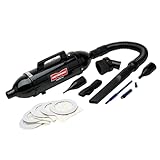
- BONUS- Includes an additional package of 5 disposable bags for your MDV-1BA - Total of 5 bags. Comes with a MetroVac 5 year motor...
- The DataVac Pro Series is the leading computer cleaning system in the world and is able to pick up even the tiniest particles of...
- Each DataVac Pro Series features a high-powered, 120 volt/4.0 amps motor that has both vacuum and blower options.
Best for: Corded workstation cleaner with bags.
A 120-volt, 4.0-amp motor gives this computer vacuum a corded power profile that suits longer cleaning sessions around desks and equipment racks. The included five disposable bags add immediate usability, and the disk filter helps keep the unit focused on computer dust, dirt, hair, and debris without making the buyer source parts right away.
Because it is corded electric, you get consistent power instead of managing battery runtime during a deeper PC cleanup. The surface recommendation is specifically for computers, which makes it a good fit for people who want a dedicated desktop maintenance tool rather than a general-purpose handheld cleaner. The package includes an additional five disposable bags, giving you a practical consumable supply for repeated use. As a Pro Series unit with both vacuum and blower options, it handles dust removal and pickup in one system, which is useful when you are cleaning a tower, keyboard, and surrounding workspace in the same session.
Pros
- 120-volt, 4.0-amp motor supports sustained corded cleaning
- Disk filter helps manage computer dust and debris
- Vacuum and blower options add cleanup flexibility
- Five disposable bags are included for immediate use
Cons
- The corded electric design limits movement to areas near an outlet.
This is a strong choice for users who want a dedicated computer-cleaning system with steady power. It makes the most sense for a desk, office, or workbench where an outlet is close by.
| Specification | Details |
|---|---|
| Brand | METROVAC |
| Filter Type | Disk |
| Surface Recommendation | Computer |
| Power Source | Corded Electric |
| Voltage | 120 volts |
I’d favor this for anyone who does longer, more methodical PC cleaning and values uninterrupted power over portability. The included bags are helpful, and the vacuum-plus-blower setup makes it practical for someone maintaining multiple computers or a shared workspace.
6. 14.5KPA Computer Keyboard Vacuum Cleaner & 110000RPM Electric Air Duster
- 3-IN-1 VERSATILE CLEANING TOOL:Combines powerful 110,000 RPM electric air duster, 14,500Pa strong suction vacuum, and air pump...
- 110000RPM Blowing & 14500Pa Suction: Experience the ultimate cleaning power. Driven by an upgraded 80W brushless motor, this...
- Deep Cleaning for Hard-to-Reach Areas: Ordinary wipes can't reach the dust inside your keyboard keys or CPU fans. Our specialized...
Best for: Portable high-power cordless PC cleaner.
An 80W brushless motor paired with 110,000RPM airflow and 14,500Pa suction gives this cordless tool both blowing strength and pickup power for PC keyboards, towers, and delicate electronics. The compact form is made for moving around a workspace, while the HEPA and cartridge filtration setup helps keep fine dust contained during cleanup.
The 3-in-1 design combines air duster, vacuum, and air pump functions, so one tool can handle loose dust, debris collection, and storage-bag inflation without changing equipment. Special features include cordless use, high power, portability, and lightweight handling, which makes it easy to grab for fast cleanups. The surface recommendation covers electronics, and the battery-powered design means you can work without a tether around your PC setup. For anyone who wants a single compact cleaner that can both dislodge and remove dust, the numbers here point to a more capable option than a basic mini blower.
Pros
- 110,000RPM airflow helps remove dust from vents and key gaps
- 14,500Pa suction collects loosened debris efficiently
- 80W brushless motor supports strong cordless performance
- HEPA and cartridge filtration help contain fine particles
Cons
- The specification set does not list a removable bag or larger dust chamber, so frequent emptying may be part of use.
This is a good fit for buyers who want cordless flexibility with real suction power for PC maintenance. It works especially well if you want one compact device for cleaning and light pumping tasks around the desk.
| Specification | Details |
|---|---|
| Brand | Goweto |
| Special Feature | Cordless, HEPA, High Power, Lightweight, Portable |
| Filter Type | Cartridge, HEPA Filter |
| Surface Recommendation | Electronics |
| Power Source | Battery Powered |
I like this for users who want a more versatile PC cleaner than a simple air duster. The combination of suction, blowing, and pump function makes it useful for more than one job, and the cordless format is convenient if your desk layout makes cords annoying during cleanup.
7. WOLFBOX MF100 Compressed Air Duster, 150000RPM Turbo Fan, 45 m/s
- Super Power Turbo Fan: The WOLFBOX MegaFlow100 electric air duster delivers impressive speeds of up to 150,000 RPM, generating a...
- Versatile Cleaning Tool: Featuring 5 nozzles and 2 brushes, the WOLFBOX electric air duster is perfect for cleaning electronics...
- Reuse and Cost-Efficiency: Made from durable materials, the WOLFBOX air duster offers a long battery life and can be reused more...
Best for: Multi-nozzle blower for flexible cleanup.
Five nozzles and two brushes make this 150,000RPM air duster more adaptable than a single-attachment cleaner for PC keyboards, electronics, and vents. The 1.57-inch width and 2.36-inch height keep the body very compact, and the 300 g weight makes it easy to hold during quick passes around a workstation or car interior.
A maximum wind speed of 45 m/s gives you enough force to move dust and debris off keyboard surfaces and out of small hardware openings. Three adjustable speed settings help avoid overblowing fragile areas while still giving power when you need it. The accessory count is the main advantage here: five nozzles and two brushes mean you can switch among tighter, broader, and brushed cleaning tasks without buying add-ons immediately. Because it is marketed for electronics, home, car, and outdoor use, it works as a flexible handheld cleaner for buyers who want one tool across several mess types.
Pros
- 150,000RPM turbo fan provides strong dust-removal power
- 45 m/s max wind speed reaches into small spaces
- Five nozzles and two brushes improve task-specific cleaning
- 300 g weight keeps it easy to maneuver by hand
Cons
- No suction or vacuum capacity is listed, so it functions primarily as a blower-focused cleaner.
This suits buyers who want a compact blower with a lot of attachment flexibility for PC and general cleanup. It is especially useful if you value nozzle choices more than a built-in vacuum chamber.
| Specification | Details |
|---|---|
| Brand | WOLFBOX |
| Item Weight | 300 g |
| Product Dimensions | 1.57″W x 2.36″H |
| Manufacturer | WOLFBOX |
| Number of Items | 1 |
My advice is that this is best for someone who mainly wants to blow dust out of keyboards, vents, and other tight spaces, then choose the right attachment for each task. The small size and included brushes make it easy to keep near a desk for frequent quick cleanups.
8. Hayousui 4.3Kpa Keyboard Vacuum Cleaner Mini Handheld Computer Vacuum

- 【POWERFUL SUCTION】 Crumbs often get stuck deep under your keys. This keyboard vacuum delivers steady 4.3Kpa powerful suction...
- 【VERSATILE CLEANING】 Our laptop cleaning kit is equipped with three specialized nozzles to handle all kinds of messes. The...
- 【CORDLESS & USB RECHARGEABLE】 This cordless keyboard vacuum comes with two built-in batteries that take just 3–4 hours to...
Best for: Mini suction cleaner for key gaps.
A steady 4.3Kpa suction rating gives this mini keyboard vacuum the pulling power needed to lift crumbs, paper scraps, and pet hair from tight PC spaces. The cordless, handheld format keeps it convenient for desks and laptops, while the HEPA filter adds a useful layer of fine-dust capture for buyers focused on cleaner electronics.
Three specialized nozzles help the vacuum reach different crevices around keys, desk edges, and small accessories, so you are not limited to one opening size. The product is aimed at small crevices rather than bulky surfaces, which makes it a practical desktop accessory instead of a full-size household vacuum. Its surface recommendation lists carpet as well, but the strongest use case is still low-profile cleanup around a PC setup. Because it is cordless and lightweight by category, it works well for spot-cleaning crumbs after daily desk use without dragging out a larger machine.
Pros
- 4.3Kpa suction pulls debris from narrow keyboard gaps
- HEPA filter helps capture finer dust around electronics
- Three specialized nozzles improve reach in tight spaces
- Cordless handheld format is convenient for desk use
Cons
- The listed surface recommendation includes carpet, but the mini form is better suited to small crevices than larger floor areas.
This is a practical pick for users who need a small vacuum dedicated to keyboard crumbs and desk debris. It makes the most sense for light, frequent cleanup around a computer station.
| Specification | Details |
|---|---|
| Brand | Hayousui |
| Special Feature | Cordless, HEPA Filtration, Vacuums, Window Treatments |
| Filter Type | HEPA Filter |
| Surface Recommendation | Carpet |
| Power Source | Literary Battery |
I’d recommend this mainly to people who care about crumbs and dust in the narrow gaps of a keyboard or desktop setup. The suction level is modest compared with larger PC cleaners, but the nozzles and HEPA filter make it useful for quick, frequent touch-ups.
9. Compressed Air Duster & Vacuum 2-in-1, Electric Air Blower

- 【2-IN-1 BLOW & VACUUM — DUST DOES NOT FLY BACK】 A normal electric duster only pushes dust into the air, where it settles...
- 【130000RPM TURBO MOTOR, 100 SPEEDS】 A 130000RPM motor delivers the pressure to lift caked dust from fans, heatsinks and case...
- 【8000mAh WITH DIGITAL BATTERY DISPLAY, USB-C】 The LED screen shows the exact remaining charge, so the duster never dies...
Best for: Variable-speed cordless PC dust remover.
An 8,000mAh USB-C rechargeable battery and 130,000RPM turbo fan make this cordless 2-in-1 cleaner a flexible choice for PC dusting and debris pickup. The 5.75-inch width and 3.11-inch height keep it compact enough for desk storage, and the variable-speed control gives users precise airflow control instead of a one-speed blast.
The 100-level variable speed control is the standout detail, because it lets you fine-tune output for keyboard crevices, fan vents, and more delicate electronics. As a 2-in-1 air duster and vacuum, it can replace canned air while also collecting debris instead of just moving it around. The rechargeable 8,000mAh battery and USB-C charging make it practical for repeated desktop use, especially in a workspace where convenience matters. Since the product is aimed at PC, keyboard, car, and home cleaning, it serves buyers who want one cordless tool with more control than a basic blower.
Pros
- 130,000RPM motor provides strong airflow for PC dusting
- 100-level variable speed control offers precise adjustment
- 8,000mAh USB-C rechargeable battery supports cordless use
- 2-in-1 blower and vacuum reduces the need for separate tools
Cons
- The very wide speed range can take more adjustment time than a simple two- or three-speed tool.
This is a strong match for users who want fine control over a cordless PC cleaner. It fits best in setups where you clean frequently and want one tool that can both blast and collect dust.
| Specification | Details |
|---|---|
| Brand | MUXNW |
| Product Dimensions | 5.75″W x 3.11″H |
| Manufacturer | MUXNW |
| Number of Items | 1 |
| Item Highlight | 130000RPM Turbo Fan, 100-Level Variable Speed Control, 8000mAh USB-C Rechargeable, Powerful Cleaner for PC Keyboard Car Home See more |
I’d choose this for someone who wants more control than a basic on/off duster can offer. The 100-level speed system makes it appealing for careful keyboard and PC work, and the rechargeable battery means it stays convenient for regular desk cleanups.
10. HOTO Handheld Desk Vacuum Cordless, Small Vacuum Cleaner, 15000Pa
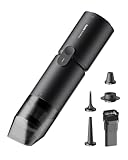
- Low Suction or Short Runtime? If the vacuum stops and the suction indicator flashes, it's usually means the filter is clogged, not...
Best for: Compact desktop vacuum for dry dust.
Up to 15,000Pa of suction gives this handheld desk vacuum enough pull for dry dust and particles around PCs, keyboards, and coffee stations. The compact, cordless body and high-density filter make it easy to keep near a workspace, so it serves users who want a small cleaner that handles daily desktop mess without taking over the desk.
The brushless motor supports the suction output while keeping the unit portable and lightweight, which matters when you use it repeatedly for small debris instead of deep cleaning floors. The surface recommendation specifically names desktop, PC setup, computer, keyboard, electronics, and coffee machine, making the use case unusually focused. Because it is rechargeable and battery powered, you can move from keyboard to monitor stand to nearby tabletop without plugging and unplugging. The note about dry dust and particles only is useful for buyers who want a cleaner specialized for dry PC mess rather than mixed wet debris. That limitation also helps set realistic expectations for workstation use.
Pros
- 15,000Pa suction handles dry dust and particles well
- High-density filter helps trap collected debris
- Compact cordless body fits easily on a desk
- Surface list includes PC setups and keyboards
Cons
- It is limited to dry dust and particles only, so it is not intended for wet spills.
This is a sensible pick for people who want a tiny desktop vacuum for routine PC cleanup. It works best for dry messes around keyboards, monitors, and nearby work surfaces.
| Specification | Details |
|---|---|
| Brand | HOTO |
| Special Feature | Compact, Cordless, Lightweight, Portable, Rechargable |
| Filter Type | High-density Filter |
| Surface Recommendation | Desktop, PC Setup, Computer, Keyboard, Electronics, Coffee Machine, Dry dust and Particles Only |
| Power Source | Battery Powered |
I think this is ideal for someone whose main concern is keeping a desk, keyboard, and nearby coffee area free of dry crumbs and dust. The suction level is respectable for a compact unit, and the surface list makes it clear this is tuned for everyday desktop cleanup rather than heavy-duty vacuuming.
Quick Comparison Table of Top Vacuums for PC Cleaning
| Product Name | Power Source | Cleaning Type | Filter Type | Best For | Check Price |
|---|---|---|---|---|---|
| Meudeen 14500 Pa Computer Vacuum Cleaner | Battery powered | 3-in-1 | HEPA filter | PC cleaning | Check Price |
| Compressed air Duster & Small Vacuum,150000RPM | Cordless | 3-in-1 | Not listed | Fast dusting | Check Price |
| Compressed Air Duster&Vacuum Cleaner, 3-in-1 150000RPM | Cordless | 3-in-1 | Not listed | Desktop dusting | Check Price |
| Compressed Air Duster & Vacuum 2-in-1 | Battery powered | 2-in-1 | Not listed | Heavy dust removal | Check Price |
| METROVAC DataVac MDV-1BA Pro Series Computer | Corded electric | Vacuum blower | Disk filter | Deep computer cleaning | Check Price |
| 14.5KPA Computer Keyboard Vacuum Cleaner | Battery powered | 3-in-1 | HEPA filter | Keyboard and PC | Check Price |
| WOLFBOX MF100 Compressed Air Duster, 150000RPM | Battery powered | Air duster | Not listed | Precision dusting | Check Price |
| Hayousui 4.3Kpa Keyboard Vacuum Cleaner Mini | Battery powered | Mini vacuum | HEPA filter | Keyboard crevices | Check Price |
| Compressed Air Duster & Vacuum 2-in-1 | USB-C rechargeable | 2-in-1 | Not listed | PC and home use | Check Price |
| HOTO Handheld Desk Vacuum Cordless, Small | Battery powered | Handheld vacuum | High-density filter | Desktop and electronics | Check Price |
How to Choose the Best Vacuum for PC
Suction strength and airflow
For the best vacuum for pc, match suction to the kind of dust you remove most often. Fine vents and heatsinks need steady airflow that pulls lint from tight gaps, while packed dust clumps in case corners need stronger pickup and a focused nozzle. Look for balanced power rather than raw force alone, because controlled suction cleans fans and boards without blasting debris deeper into the system.
Good picks list clear airflow ratings, maintain suction through the hose, and include a low-power setting for delicate areas. Choose a medium-to-strong handheld with stable airflow and adjustable control for most PC owners; pick a stronger unit with fine control for heavy dust buildup.
| Type | Best for |
|---|---|
| Low airflow | Light dust on keyboards and open surfaces |
| Medium airflow | General PC cleaning, vents, and case panels |
| High airflow with control | Dense dust in heatsinks, filters, and fan hubs |
Nozzle design and attachments
Nozzle shape decides how well you clean a PC, so choose attachments that reach narrow spaces without touching fragile parts. A slim crevice tip belongs in PCIe slots, between fan blades, and along keyboard seams, while a soft brush head lifts dust from grilles and plastic surfaces without scratching them. Extension tubes help you clean deep inside towers and behind desks without twisting your wrist or bumping components.
For electronics, look for antistatic or precision accessories, tight-fitting connectors, and brushes with soft, fine bristles. Pick a kit with both a narrow tip and a soft brush for most buyers; choose a longer extension set for full tower cleaning and cramped desk setups.
| Attachment | Best for |
|---|---|
| Narrow crevice tip | Slots, seams, and tight vents |
| Soft brush head | Fans, grilles, and surface dust |
| Extension tube | Deep cases and hard-to-reach cable areas |
| Antistatic nozzle | Sensitive electronics and routine PC care |
Filtration and dust containment
Filtration matters because a PC vacuum should trap dust, not send it back into the room or back onto components. Fine filtration keeps tiny particles inside the unit, and a sealed dust cup or bag makes emptying cleaner around a workstation. Washable filters are the best sign of consistent performance, especially when you clean often and collect fine lint from filters and heatsinks.
Good models close tightly around the dust chamber, use a multi-stage filter, and release debris without a cloud of dust. Choose a sealed, washable, fine-filter model for regular PC maintenance; choose a bagged or highly contained unit when you want the cleanest emptying process.
| Filtration type | Best for |
|---|---|
| Fine washable filter | Frequent PC cleaning and reusable upkeep |
| Sealed dust cup | Quick emptying with less mess |
| Bagged containment | Maximum debris control during disposal |
Portability and power source
Portability depends on how and where you clean your PC, so choose the power source that fits your routine. Handheld vacuums offer the easiest movement around desks and cases, cordless models give freedom for full-system cleaning, and plugin units deliver longer uninterrupted use for larger setups. Check runtime on cordless units and cord length on plugin models, because both determine whether you finish the whole job without stopping.
Lightweight models suit quick desktop touch-ups, while slightly heavier units make sense when you need more reach and stronger airflow. Pick a cordless handheld for quick, flexible desk cleaning; choose a plugin model with a long cord for larger workstations and long cleaning sessions.
| Type | Best for |
|---|---|
| Handheld | Fast spot cleaning and desk-side use |
| Cordless | Flexible movement around towers and shelves |
| Plugin | Long sessions and consistent power |
Safety and maintenance features
Safety and maintenance features decide whether a PC vacuum stays useful over time and stays gentle around sensitive parts. Low-static operation belongs near circuit boards, fan motors, and connectors, and easy-clean filters and cups save time after each session. Noise matters in shared spaces, so choose a quieter unit if you clean near coworkers or family members.
The best models use simple dust release, removable washable parts, and nozzles that detach without a fight. Look for clear maintenance steps, sealed dust handling, and washable components that go back on easily.
Choose a low-static, easy-clean model for frequent PC owners; pick a quieter, simple-maintenance unit for shared rooms or office setups.
Which Should You Choose?
- If you want one compact tool for both blowing dust out and sucking debris up, choose a 3-in-1 cordless model with a vacuum nozzle, blower mode, and about 14,500Pa suction.
- If your main job is blasting dust out of a PC case, keyboard, or radiator fins, choose a high-RPM air duster with strong airflow and adjustable speed settings.
- If you clean heavy debris often and want the most aggressive performance, choose a brushless 2-in-1 unit with very high RPM and a strong metal fan design.
- If you want a dedicated keyboard cleaner for crumbs, pet hair, and fine dust, choose a mini handheld vacuum with around 4,000Pa to 15,000Pa suction and a small crevice attachment.
Quick Best Vacuum For Pc Buying Checklist
- Pick controlled suction. Use a vacuum strong enough to remove dust but gentle enough for delicate PC parts.
- Choose precision attachments. Narrow nozzles and soft brushes help clean vents, fans, and tight interior spaces.
- Check filtration quality. Fine filters and sealed dust capture keep particles from escaping back into the air.
- Look for anti-static safety. Low-static design helps reduce risk when cleaning sensitive components inside a PC.
- Review portability. A lightweight, easy-to-handle vacuum makes routine dust removal faster and more convenient.
- Inspect maintenance needs. Easy-to-empty cups and washable filters simplify cleanup and support long-term performance.
How PC Cleaning Vacuums Protect Delicate Components
A vacuum designed for PC cleaning works by removing loose dust from vents, fans, filters, and case corners without forcing debris deeper into the system. The best models use controlled suction and narrow nozzles so you can target buildup around heatsinks, power supplies, and cable channels. Many also pair well with a soft brush attachment, which lifts stubborn dust before it is pulled away.
This approach is useful because compressed dust can trap heat, reduce airflow, and make fans work harder. A proper PC vacuum is not about brute force; it is about precision, gentle contact, and consistent debris removal from hard-to-reach spaces.
Mini Vacuum, Handheld Vacuum, or Air Duster
Different PC-cleaning tools solve different problems, and the best choice depends on where the dust has settled. Mini vacuums are ideal for collecting loosened debris inside and around a desktop case. Handheld vacuums offer more capacity and are practical for full workstation cleanup.
Air dusters excel at blowing dust out of tight gaps, but they do not remove it from the area, so the dust can resettle nearby. Many users combine both tools for better results.
If you clean multiple systems or a shared workspace, comparing portability, suction control, and nozzle shape can help you match the tool to the task.
| Type | Best for |
|---|---|
| Mini vacuum | Quick dust pickup inside a PC case |
| Handheld vacuum | Broader cleanup around desks and towers |
| Air duster | Blowing dust out of tight crevices |
| Vacuum with brush attachment | Loosening dust before removal |
Static-Safe Cleaning Practices for Electronics
Static electricity is one of the main concerns when cleaning a computer. Even a small discharge can be risky around sensitive parts, so static-safe habits matter as much as suction power. Work on a stable surface, unplug the system, and avoid cleaning on carpet if possible.
It also helps to touch a grounded metal object before handling internal parts and to use a vacuum with anti-static features where available. Keep the nozzle from scraping circuit boards, connectors, or fan blades.
The goal is to remove dust while minimizing friction, contact, and accidental movement of components inside the case.
Care and Maintenance for Vacuum Performance
A PC vacuum performs best when it is kept clean itself. Dust buildup in the filter, nozzle, or collection chamber can reduce airflow and make the tool less effective over time. Empty the dust bin regularly, check filters for clogging, and clean attachments so debris does not circulate back into the room.
If the vacuum uses a washable filter, let it dry fully before reinstalling it. Inspect the nozzle for cracks or blockages, especially if you often clean fabric, pet hair, or heavy dust.
Regular maintenance not only preserves suction but also helps prevent particles from escaping when you are working near electronics.
- Empty the dust chamber after heavy use
- Clean or replace filters as directed
- Check hoses and nozzles for blockages
- Store attachments in a dry place
Common PC Vacuum Mistakes to Avoid
Many cleaning problems come from technique rather than the tool itself. One common mistake is using too much suction too close to cables, small screws, or fragile fan fins. Another is cleaning while the computer is still powered, which increases the chance of damage or accidental fan spin.
People also sometimes use oversized attachments that cannot reach dust near vents or between drive bays. Pushing a vacuum nozzle directly against a motherboard or fan grille can create unnecessary contact, while skipping the filter and case intake areas leaves the job incomplete.
Careful, methodical cleaning is more effective than rushing through the process.
| Mistake | Why it matters |
|---|---|
| Cleaning a powered-on PC | Raises the risk of damage and moving parts |
| Using excessive suction | Can pull on loose cables or delicate parts |
| Ignoring filters | Leaves the main airflow restriction untouched |
| Using the wrong nozzle | Makes tight spaces harder to clean |
Frequently Asked Questions (FAQs)
What Makes The Best Vacuum For Pc Different From A Regular Vacuum?
The best vacuum for pc is different from a regular vacuum because it uses controlled suction and precision attachments for delicate electronics. It focuses on vents, fans, and tight case gaps, where a bulky household vacuum can be too powerful or awkward to maneuver safely.
Why Is Anti-Static Protection Important In A Pc Vacuum?
Anti-static protection matters in a pc vacuum because sensitive components can be damaged by static discharge during cleaning. A low-static design, combined with soft brushes and careful airflow, helps reduce risk when working near motherboards, memory slots, and cables.
Which Attachments Should The Best Vacuum For Pc Include?
The best vacuum for pc should include a narrow nozzle, a soft brush head, and an extension tube for hard-to-reach areas. These tools help clean fan blades, heatsinks, ports, and dust traps without scraping surfaces or pushing debris deeper into the case.
Is Suction Power Or Gentle Cleaning More Important For Pc Dust Removal?
Gentle but effective cleaning is more important for pc dust removal because excessive suction can disturb small components and cables. The best vacuum for pc balances enough airflow to lift dust from vents and crevices while staying controlled around sensitive internal hardware.
How Do Filters Affect The Performance Of A Pc Vacuum?
Filters affect the performance of a pc vacuum by trapping fine dust before it escapes back into the room or clogs the device. Fine filtration, preferably with a washable filter, keeps cleaning cleaner and helps maintain consistent suction over repeated use.
Can A Vacuum Safely Clean Inside A Pc Case?
A vacuum can safely clean inside a pc case when it is designed for electronics and used with care. The best vacuum for pc should have a soft brush, low-static features, and controlled suction so it can remove dust from fans, grills, and corners without harming parts.
What Is The Easiest Type Of Pc Vacuum To Use At Home?
The easiest type of pc vacuum to use at home is a lightweight handheld model with simple attachments and easy cleanup. Compact designs are convenient for quick dusting, and a removable cup or washable filter makes regular PC maintenance faster and less messy.
Final Suggestions
Choosing the best vacuum for pc helps keep fans, vents, and tight case spaces free of dust that can hinder performance. With the right balance of suction, attachments, filtration, and safety features, this category makes routine maintenance easier and more effective. A smart choice today can support cleaner hardware and a smoother setup going forward.